Complete Home Gaming Setup 2026: PS5, Monitor, Headset and Storage Guide
A great console is only the beginning. The complete home gaming setup 2026 that most players dream of combines a console, a good screen, a comfortable headset, enough storage and a few smart extras that make everything work together. This guide shows how to plan a PS5 gaming setup around a monitor, headset and storage, with real products from the BestBuyGadgett catalogue, a sensible order of purchase, and advice on gaming desk setup basics such as cables, lighting and ergonomics. It suits beginners and upgraders alike. Prices, stock and compatibility notes change, so verify details on each product page.
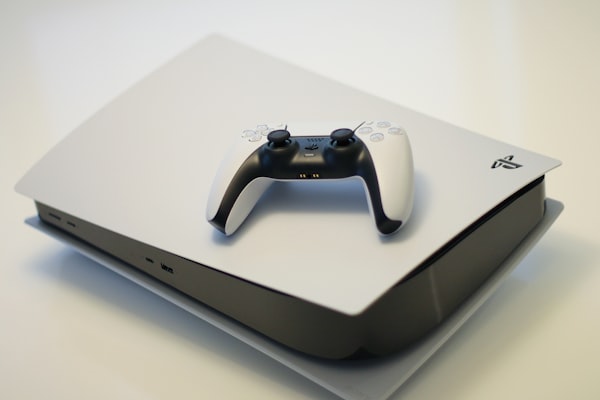
Table of Contents
Complete Home Gaming Setup 2026: Quick Answer
| Component | Why it matters | Where to look |
|---|---|---|
| Console | The heart of the setup | PS5 Slim Digital Edition, consoles |
| Display | Defines what you see | Gaming monitors |
| Headset | Sound and chat | Gaming headsets |
| Storage | Space for your library | Storage |
| Controllers and charging | Comfort and convenience | Controllers |
Step 1: Choose Your Console
Pick the console that matches your games and budget. The PS5 Slim Digital Edition suits players who download games, while a disc console suits those with physical libraries. Read our PS5 Pro vs Slim vs Digital guide and the digital versus disc comparison. If you want a limited-edition set, look at the Wolverine bundle. If you are weighing platforms, see best gaming console for 2026.
Step 2: Choose a Display
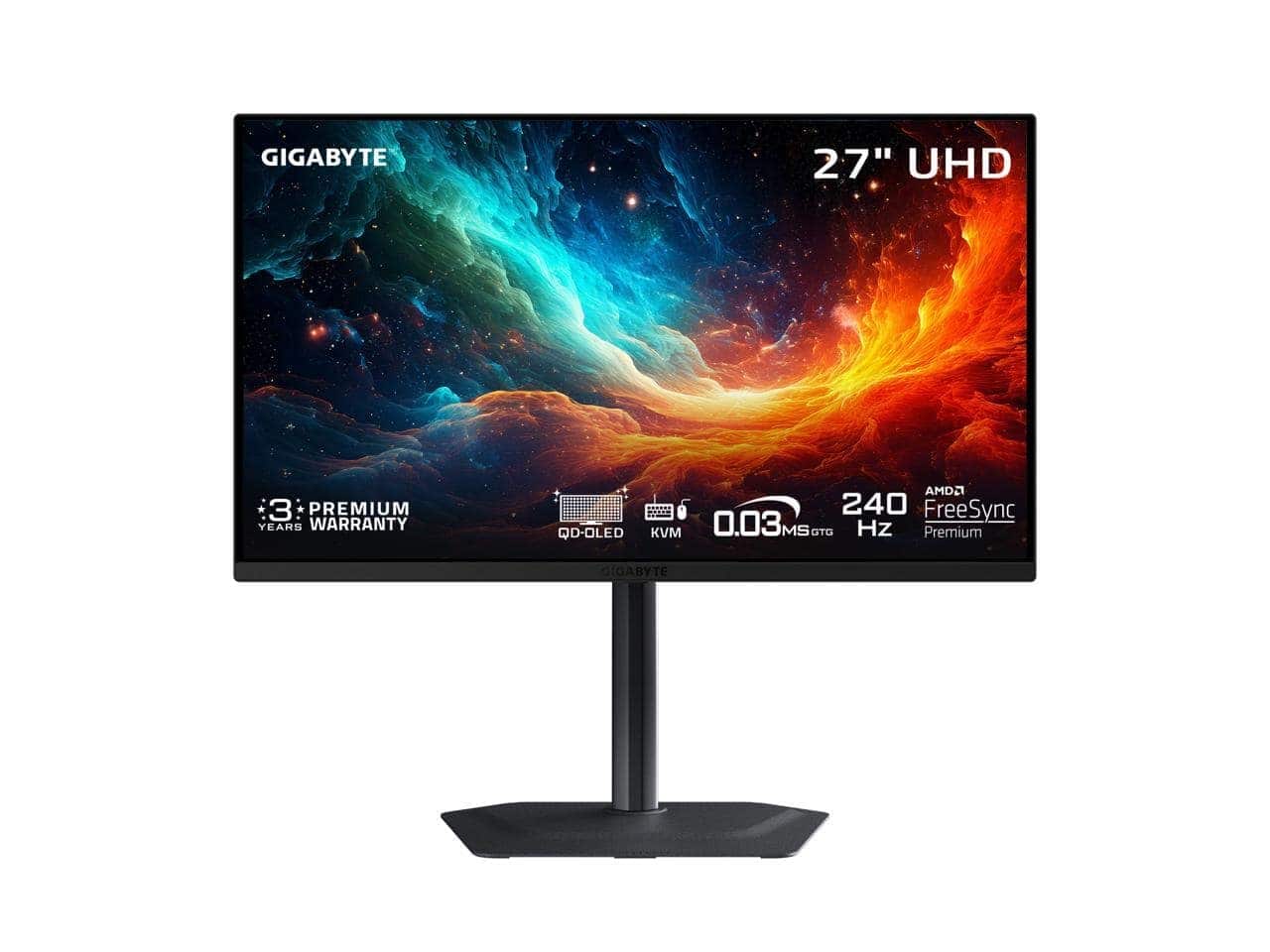
For a desk, a 27-inch 4K monitor with HDMI 2.1 is a strong choice; see our gaming monitor guide and 4K OLED monitor guide. Examples in the catalogue include the GIGABYTE MO27U2 and the MSI MAG 272UP. For a living room, a large OLED TV such as the LG 55-inch C6 works well. Check HDMI version and VRR support before buying.
Step 3: Choose Audio
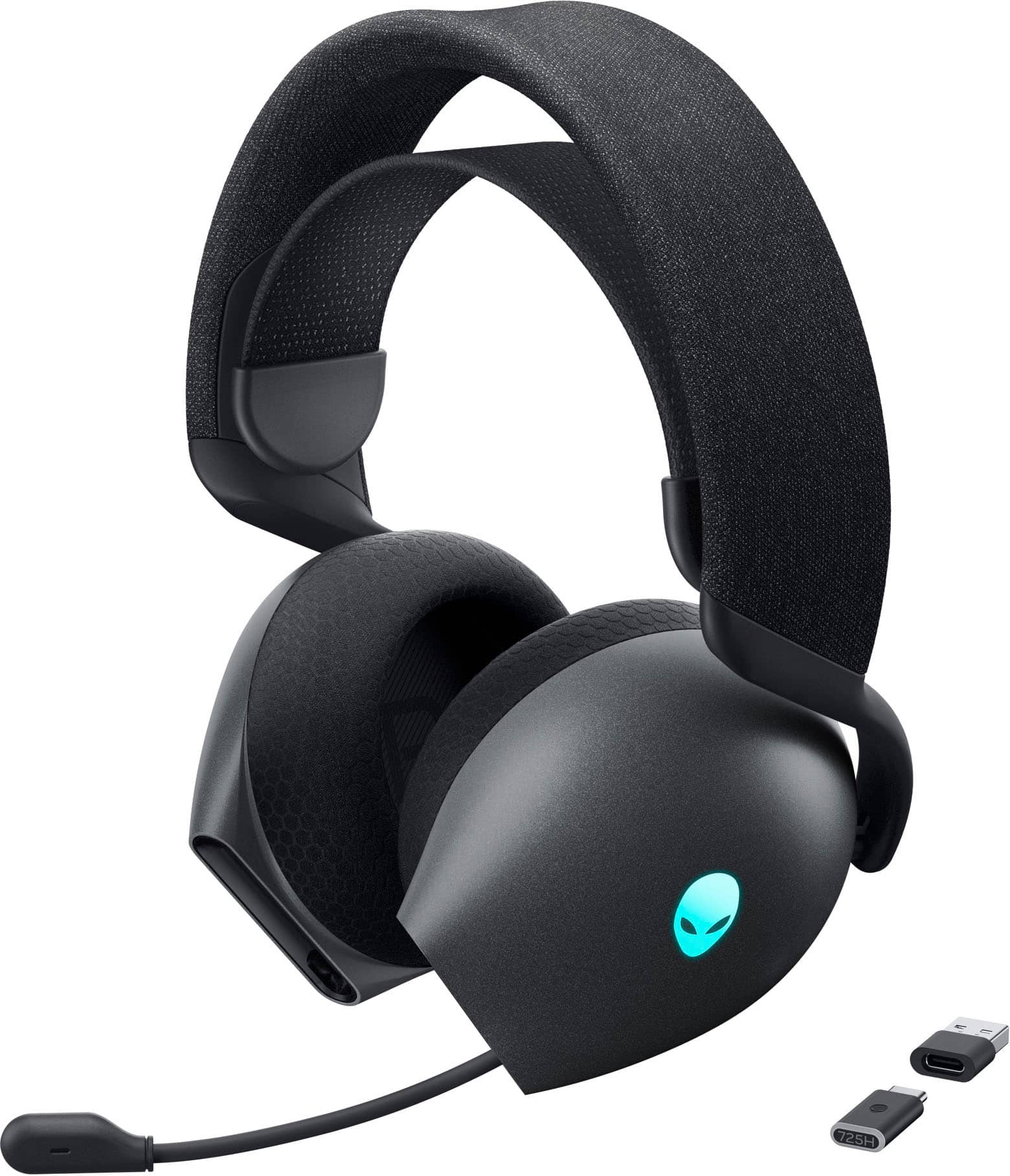
A headset improves immersion and chat. The Alienware AW725H tri-mode wireless headset and the MSI Maestro 300 wired headset are two options. Check connection types and PS5 compatibility on the listing. If you also game on a phone, read about AirPods for gaming.
Step 4: Plan Storage
Large games fill storage quickly. Internal M.2 drives such as the MSI M461 2TB or MSI Spatium M480 Pro 4TB are listed as PCIe 4.0 NVMe SSDs; verify compatibility with Sony’s requirements. For archiving, the Samsung T9 portable SSD is a useful companion. See our PS5 storage upgrade guide.
Step 5: Controllers, Charging and Extras
A second DualSense turns the console into a party machine, and a charging station such as the PowerA Essentials PS5 Charge and Connect Pack keeps pads ready. For portable play, the PowerA PlayStation Portal accessory bundle is one to consider. Our accessories guide covers more.
Step 6: The Desk, Cables and Comfort
- Ergonomics: Place the monitor at eye level, about an arm’s length away.
- Chair: Support your lower back and keep feet flat.
- Cables: Use clips and sleeves to keep cables tidy and avoid strain on ports.
- Ventilation: Leave space around the console.
- Lighting: Reduce glare on the screen and avoid very bright light behind it.
- Power: Use a surge-protected power strip.
Adding a PC to the Mix
If you also game on a PC, choose a monitor with multiple inputs and plan the desk accordingly. See the best gaming laptops guide, the gaming PCs category, and our guides on choosing a gaming monitor and gaming laptop RAM.
Three Example Setups
| Setup | Core pieces | Good for |
|---|---|---|
| Starter | PS5 Slim Digital Edition, second controller, wired headset | New players on a budget |
| Desk enthusiast | PS5, 27-inch 4K QD-OLED monitor, wireless headset, M.2 SSD | Single-player and competitive gaming |
| Living room cinema | PS5, large OLED TV, headset for late night, charging dock | Family and cinematic play |
Buying Tips
Buy in a sensible order, starting with what limits your experience most. Combine items to reach the free shipping threshold stated in the shipping policy, and remember that customs duties may apply to international parcels. Read the return policy, and ask questions through the contact page before ordering expensive items.
Sound Beyond the Headset
Not everyone wants to wear a headset all the time. If you play in a room where you can use speakers, a good soundbar or desktop speaker system can make games feel bigger. Place speakers at ear height, pointing at your listening position, and keep them away from corners that exaggerate bass. Many TVs also support surround formats through HDMI eARC. In a flat or shared home, a headset remains the considerate option, and a pair with a comfortable fit lets you play for hours. If you like to switch, choose a monitor or TV with a headphone jack, or plug the headset into the controller to keep things simple.
Think about your microphone needs as well. Most gaming headsets include a boom or built-in mic, which is enough for party chat. Streamers and content creators may want a separate microphone, and our guide on the MacBook Pro M4 for content creators shows a workflow that combines creative work with gaming.
Lighting and mood
Ambient lighting reduces eye strain and improves perceived contrast. A soft bias light behind the screen is popular, and smart bulbs allow you to change the mood. Avoid putting bright lights directly in the line of sight. If your display is an OLED, subdued room lighting also shows off its contrast and deep blacks.
Maintaining and Growing Your Setup
A setup is never finished, but it can be kept in good shape with a few habits. Dust the console, monitor and desk regularly, check cables for wear and update system software and firmware when prompted. Back up saves with cloud storage or a USB drive. Re-evaluate your needs every six to twelve months: you may find that you want more storage, a better chair or a second display. Upgrading in small steps spreads the cost and lets you learn what matters most.
When the time comes to upgrade, sell or recycle old equipment responsibly. Keep boxes and receipts for valuable items, and remember to remove your account from any console you sell. If you plan to buy a new console or a larger monitor, read our price comparison guide and our early holiday buying guide to time your purchase well. Whatever you choose, aim for a setup that makes you want to play, and that feels comfortable on a normal Tuesday evening, not only on launch day.
Setup Planning Questions to Answer First
Before buying anything, answer a few questions. Where will the setup live: a desk, a living room or a shared room? How many people will use it? What games do you play most? What is your total budget, and which parts of the experience matter most to you? Do you need to move the equipment often? Writing down the answers gives you a framework to judge every purchase. Without it, it is easy to overspend on a feature that does not matter, and underspend on the part that does.
Zones in a gaming space
- Play zone: the screen, seat and controller area.
- Tech zone: console, cables, power and storage.
- Comfort zone: lighting, temperature and seating.
- Storage zone: a place for discs, controllers and accessories.
Budget-Friendly Upgrade Order
- Console and one controller.
- A comfortable headset.
- Extra storage.
- A better display.
- Seating, lighting and desk improvements.
Upgrades that improve comfort, such as a good chair and headset, are often more valuable than expensive extras. Spread the purchases across months to take advantage of sales and avoid overspending.
Sample Shopping Lists
To make the plan concrete, here are three example lists using products in the catalogue. They are examples only; check current listings for price and availability. A starter list could include the PS5 Slim Digital Edition, a spare controller from the controllers category and a wired headset like the MSI Maestro 300. A desk enthusiast list could add a 27-inch 4K QD-OLED monitor such as the MSI MAG 272UP and an M.2 SSD. A living room list might feature a large OLED TV such as the Samsung 65-inch S90F OLED, a charging dock and a comfortable wireless headset.
Each list shows how the pieces work together. The starter list is about getting playing quickly and affordably. The desk list focuses on image quality and responsiveness. The living room list focuses on size, sound and family use. Choose the one that matches your life, then adjust. If you are unsure, start small and add as you learn what you need. A sensible setup grows with you.
Safety, Power and Cable Management
A tidy setup is a safer one. Use a surge-protected power strip and avoid daisy-chaining extension leads. Keep cables away from walkways, and use clips or sleeves to hold them in place. Do not cover the console’s vents with cloth or place it on soft surfaces. Keep liquids away from electronics. For a desk, consider a monitor arm to free space, and use a cable tray to hide power bricks. These small steps protect your equipment and make the whole space more pleasant to use. Dust the area regularly, and leave space behind monitors for airflow.
Ergonomics checklist
- Top of the screen at or slightly below eye level.
- Elbows at about ninety degrees, wrists neutral.
- Feet flat on the floor or a footrest.
- Regular breaks to stretch and rest your eyes.
- Good lighting that avoids glare.
Keeping Your Setup Future-Ready
Technology moves on, but a smart setup stays useful for years. Choose a display with HDMI 2.1 so it can handle future consoles, buy storage with a little spare capacity and pick accessories that work across devices. Keep your receipts and warranties together, update firmware regularly and revisit your plan every year. A gaming space that evolves slowly is cheaper and more enjoyable than one rebuilt from scratch every time a new product appears.
Monitor, Headset and Storage: The Three Upgrades That Matter Most
If you can only upgrade three things, choose a monitor, a headset and storage. A good monitor transforms what you see, a headset transforms what you hear and extra storage transforms how many games you can keep ready. Our home gaming setup guide recommends buying them in the order that fixes your biggest pain point first. Use this home gaming setup guide as a checklist, and revisit it when your needs change.
Remember that the best setup is the one you enjoy using every day. Do not be pushed into buying more than you need, and do not be afraid to start simple. A comfortable chair, a decent screen and a console you love are already a fantastic gaming setup, and you can grow from there at your own pace.
For official information, see PlayStation’s official website, and always verify details with the manufacturer before you buy.
In short: when it comes to complete home gaming setup 2026, compare the total cost, read the store policies and confirm every detail before you pay. A careful approach to complete home gaming setup 2026 saves money and avoids unpleasant surprises.
More PlayStation extras are in our Sony gaming accessories category, including DualSense controllers, the PlayStation VR2 and the PlayStation Portal. Console hardware is in the PlayStation 5 and PlayStation 5 Pro categories.
Frequently Asked Questions
What do I need for a PS5 gaming setup?
A console, a display, a headset, enough storage and at least one extra controller are a good start.
Should I buy a monitor or a TV?
Monitors suit desks; TVs suit living rooms.
How much storage do I need?
1 TB to 2 TB suits most players.
Do I need an expensive headset?
No, but comfort and a clear microphone matter.
What should I buy first?
The console, then whatever upgrade improves your experience most.
Final Verdict
The best home gaming setup is the one built around how you play. Start with a console, add a display and headset, then expand storage and accessories over time. Browse the full gaming collection to begin.