Best AirPods for Gaming: AirPods Pro 2 With PS5 and Mobile Gaming
If you are looking for the best AirPods for gaming, the short answer is that AirPods are excellent for mobile gaming on an iPhone, iPad or Mac, and a more awkward fit for a PS5. This guide explains why, what AirPods Pro 2 gaming sessions are really like, how to try AirPods with PS5, and how to deal with AirPods latency in gaming. It will help you decide whether AirPods are the right pair for your phone, your console, or both.
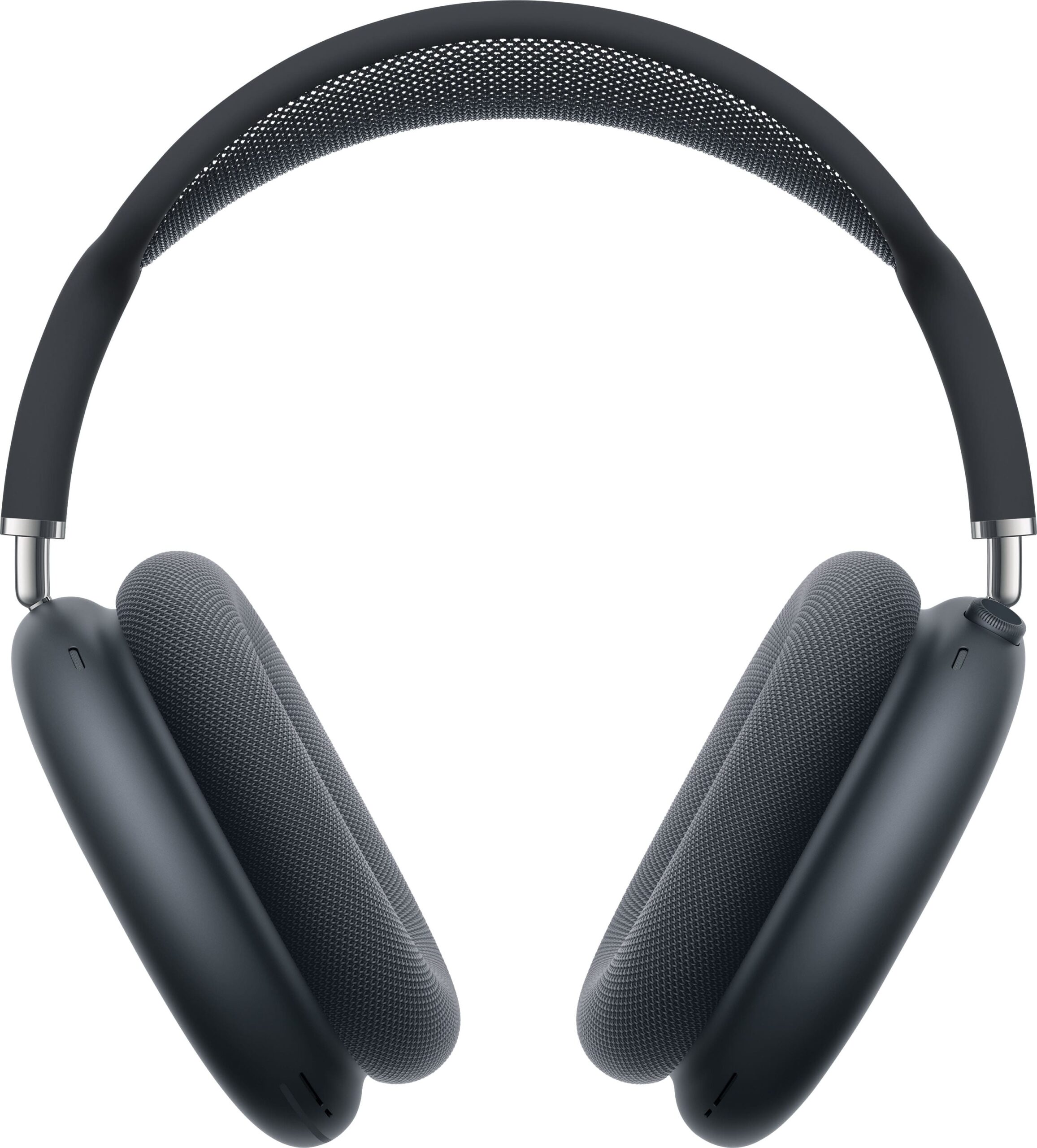
BestBuyGadgett lists the Apple AirPods Pro 2 with Active Noise Cancellation and the AirPods Max 2 in the Apple products category. We do not quote prices or make battery claims beyond what listings state. Check each page for current details.
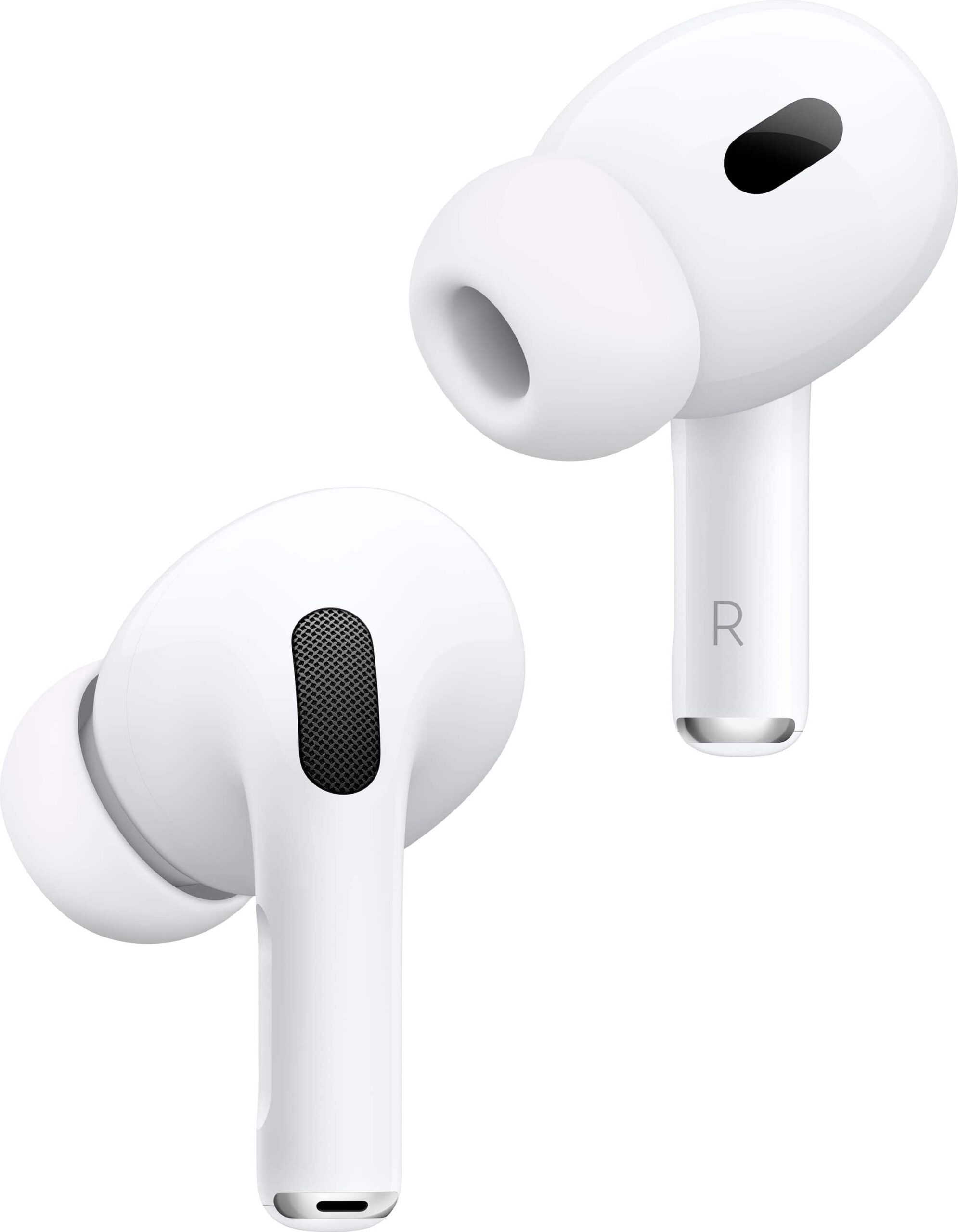
Table of Contents
Best AirPods for Gaming: Quick Answer
- Mobile gaming: Yes. AirPods Pro 2 pair instantly with iPhone and iPad, offer good sound and noise cancellation, and are comfortable for travel gaming.
- PS5: Not directly. The PS5 does not generally support Bluetooth audio devices, so you need a workaround, such as a compatible USB transmitter or routing audio through another device.
- Competitive gaming: Bluetooth has some audio delay, so serious competitive players usually prefer a wired headset or a low-latency wireless headset with a dongle.
AirPods Pro 2 for Mobile Gaming
The AirPods Pro 2 are a natural match for an iPhone. Pairing is quick, switching between Apple devices is smooth, and active noise cancellation helps block commuter noise so you can hear the game. Many mobile games are tolerant of a small amount of audio delay, particularly puzzle, strategy and role-playing titles. Rhythm games and fast shooters are more sensitive, so test a favourite game before committing to a long session.
Strengths for gamers
- Compact and comfortable for long sessions.
- Noise cancellation and transparency modes for different environments.
- Easy pairing and switching across Apple devices.
- A built-in microphone for party chat.
Limitations
- Bluetooth delay compared with wired or dongle headsets.
- Microphone quality is fine for chat but not a studio-quality boom mic.
- Battery life is limited compared with a console headset, and varies by use.
AirPods With PS5: What Works and What Does Not
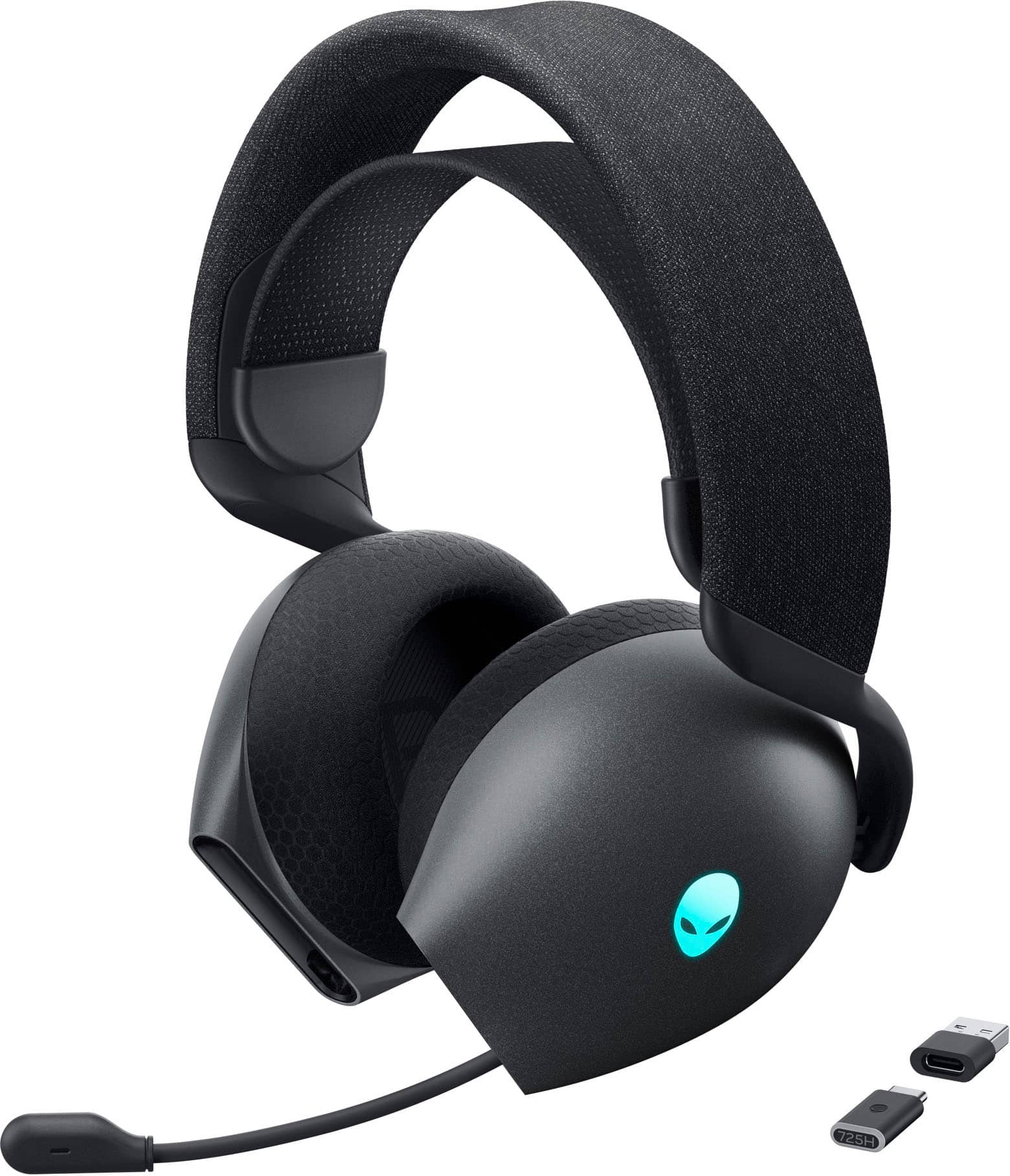
The PS5 uses its own wireless system for controllers and supports wired headsets plugged into the controller and USB headsets. It does not generally support standard Bluetooth headphones directly. You can still use AirPods in some ways: pair them to your phone and use the PS App or Remote Play audio, or use a third-party Bluetooth transmitter plugged into the PS5 via USB, taking care that it is compatible and accepting that it adds delay and sometimes limits chat. If you play a lot on the PS5, a purpose-built headset is easier. Our gaming headsets category includes the Alienware AW725H tri-mode wireless headset and the MSI Maestro 300 wired headset, and the PS5 accessories guide covers more.
Understanding Latency
Latency is the delay between something happening on screen and the sound reaching your ears. Wired headsets have almost none. Wireless headsets with a dedicated dongle can be very low. Standard Bluetooth is higher, though modern codecs and hardware have improved it. For most single-player games the delay is barely noticeable. For fast competitive games it can matter, because you hear gunfire or footsteps a fraction of a second late. If you notice a mismatch, try a different game mode, check for software updates, reduce interference from other wireless devices, or switch to a wired option.
| Connection | Latency | Best for |
|---|---|---|
| Wired | Lowest | Competitive console play |
| Dongle wireless | Low | Console and PC |
| Bluetooth (AirPods) | Higher | Mobile, travel and casual play |
AirPods Pro 2 or AirPods Max?
The Pro 2 are small, light and portable. The Max are over-ear headphones with a bigger, more immersive presentation but more weight. Both sit in the Apple ecosystem. Check the product pages for the current model details and compare comfort, battery life and portability. If you wear glasses, over-ear designs can feel different from earbuds, so think about your preferences.
Tips for Better Gaming With AirPods
- Keep firmware updated by connecting to your iPhone regularly.
- Use the right ear tip size for a good seal and better bass.
- Reduce wireless interference by keeping other devices away.
- Turn on the controller you like, and consider a pad from the controllers category for phone gaming.
- Charge the case before long sessions.
Sound Quality and Game Audio
Games use sound in different ways. Story games rely on music and dialogue, shooters on positional cues, and racing games on engine and surface noise. AirPods Pro 2 present a balanced sound with a pleasing low end, and spatial audio on supported content can make some games feel more immersive. Adaptive features, such as automatically adjusting noise control depending on your surroundings, are helpful on the move, though in a game you may prefer a fixed mode so audio stays consistent. Experiment with the noise control settings during a session and choose the one that feels best.
Fit is as important as the drivers. A good seal improves bass and passive isolation, while a poor one thins the sound. Try the different ear tip sizes included in the box, and test by running a favourite track with strong bass. If AirPods fall out during active play, consider ear hooks or a different style of headset. Comfort over several hours matters for gamers, and small, light earbuds are generally easier on the ears than heavy headbands.
Microphone and party chat
For party chat on a phone, AirPods microphones work well in quiet rooms. In noisy places, performance depends on how well the beamforming and noise reduction can isolate your voice. Teammates may notice some background noise, so test with a friend before an important match.
Care, Battery and Longevity
Earbuds are small, and small things get lost or worn out. Clean the mesh and ear tips gently with a dry, soft cloth, and keep the charging case free of lint. Battery capacity declines gradually with use, so heavy daily gaming will reduce the life of the batteries over time. Avoid leaving them in hot places, such as a car in summer, and charge them regularly rather than letting them go flat for weeks. If you buy AirPods from a store, check the return and warranty information on the product page and in the store’s return policy.
The store’s shipping policy states worldwide shipping and free standard shipping on orders over $250, with customs duties possibly applying to international parcels. Earbuds are small and light, so they are an easy item to add to a larger order, such as a console or a phone. If you are planning a full gaming and Apple setup, our complete home gaming setup guide shows how the pieces fit together, and the MacBook Pro M4 guide covers the creator side.
Gaming Scenarios: When AirPods Shine and When They Struggle
AirPods Pro 2 gaming experiences differ a lot by scenario. On a train or plane, noise cancellation is a major advantage, letting you hear the game at lower volume and protecting your hearing. In a quiet bedroom, you may not need cancellation, and you might prefer the transparency mode so you can hear someone call you. At a desk with a PC or Mac, Bluetooth works well for most games, but competitive players should still test latency. On a console, the lack of direct Bluetooth audio is the main limitation, so use a compatible headset or a transmitter.
- Commuting and travel: excellent.
- Casual mobile games at home: excellent.
- Competitive mobile shooters: usable, with some delay.
- PS5 sessions: awkward without extra hardware.
Mobile Gaming Headphones: Alternatives to AirPods
If you want the best mobile gaming headphones for a phone, you have several types to consider: low-latency wireless earbuds with a dongle, wired earbuds with a USB-C connector, and over-ear headsets. Each has trade-offs. Dongle-based earbuds offer lower delay but need a free port. Wired earbuds are cheap and have no battery, but cables can be a nuisance. Over-ear headsets are comfortable and loud but bulky. AirPods Pro 2 stand out when you value seamless pairing, compact size and strong noise control in one package.
Tips for choosing
- Decide which device you game on most: phone, tablet, Mac or console.
- Check how the headphones connect to that device.
- Test latency in a game you play often.
- Consider comfort for sessions longer than an hour.
- Compare the price against the features you will really use.
AirPods Max 2 and Over-Ear Options
If you prefer over-ear headphones, the AirPods Max 2 listing is in our catalogue. Over-ear headphones tend to produce a larger soundstage and are comfortable for long sessions, though they are heavier than earbuds and less pocketable. For gaming, a wired connection or a low-latency mode, where available, can help with delay. Check the product page for the latest details on connectivity and compatibility, and compare against dedicated gaming headsets such as the Alienware AW725H, which are designed with consoles and PCs in mind.
Whatever you choose, treat your hearing with care. Keep the volume at a comfortable level, take breaks and use noise cancellation to avoid turning the volume up in noisy places. Good habits protect your hearing for the long term and make gaming more enjoyable.
Quick Setup Tips for AirPods Gamers
Pair your AirPods with the iPhone and check the noise control mode before you start. Turn on any gaming-friendly or low-latency options if your device offers them. Keep the case charged and the earbuds clean. If you notice audio lag, reduce interference by turning off unused Bluetooth devices nearby. If you play for long sessions, rest your ears every hour. These small steps keep the experience comfortable and consistent.
Hearing Health and Long Sessions
Long gaming sessions with earbuds can strain your ears if the volume is too high. Use the lowest comfortable volume, take breaks and keep noise cancellation on in loud places so you do not turn the level up. If your ears feel sore, switch to over-ear headphones for a while.
For official information, see Apple’s official website, and always verify details with the manufacturer before you buy.
In short: when it comes to best airpods for gaming, compare the total cost, read the store policies and confirm every detail before you pay. A careful approach to best airpods for gaming saves money and avoids unpleasant surprises.
Frequently Asked Questions
Can I connect AirPods to a PS5?
Not directly in most cases. You need a compatible transmitter or a different headset.
Do AirPods Pro 2 have lag?
Bluetooth adds some delay. It is usually fine for casual games and noticeable in fast competitive ones.
Are AirPods good for Fortnite or shooters on mobile?
They work, but a wired headset gives the lowest delay.
Which is better for PS5: AirPods or a gaming headset?
A gaming headset is more practical.
Where can I compare iPhones for gaming?
See iPhone 16 Pro vs PS5.
Final Verdict
AirPods Pro 2 are a superb companion for mobile gaming and daily life, and a workaround on the PS5 at best. For console sessions, choose a purpose-built headset from the headsets collection. Browse the Apple products for AirPods and iPhones.