Best 4K OLED Monitors for PS5 and PC Gaming: Samsung Odyssey and Gigabyte
Shopping for the best 4K OLED monitors in 2026 means sorting real strengths from marketing. OLED panels deliver deep blacks, rich colour and very fast response, which is why gamers love them, and 4K resolution gives a razor-sharp picture. For a PlayStation 5 owner who also games on a PC, a single high-quality screen can serve both. This guide covers the 4K OLED monitor for PS5 question, compares Samsung Odyssey OLED and Gigabyte AORUS OLED options in the BestBuyGadgett catalogue, and explains the differences between QD-OLED gaming monitors and other panel types.
We only repeat details that appear in our product titles. An important caution up front: not every OLED monitor is 4K, and not every high-refresh monitor will give the PS5 its best output over HDMI. Always confirm the HDMI version and the supported modes on the product page.
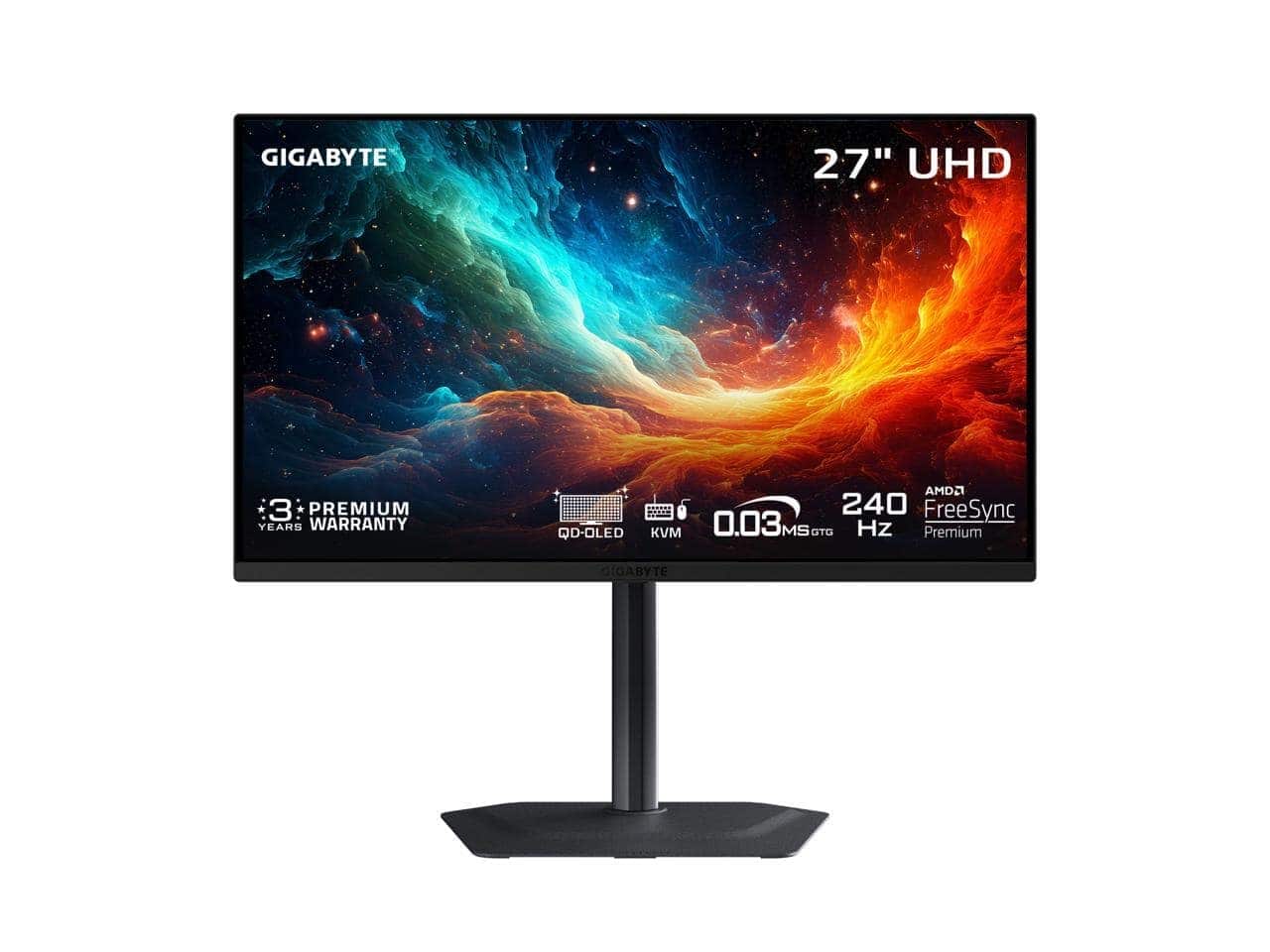
Table of Contents
Best 4K OLED Monitors: Quick Answer
- Best 4K OLED for a desk setup: a 27-inch model such as the GIGABYTE MO27U2 27-inch QD-OLED 4K 240Hz or the MSI MAG 272UP 27-inch QD-OLED 4K 240Hz.
- Best larger 4K OLED: a 32-inch model such as the MSI MPG 321CURX curved QD-OLED 4K 240Hz.
- Best Samsung option in the catalogue: the Odyssey OLED G8 34-inch curved WQHD 240Hz, which is a fast OLED but WQHD, not 4K.
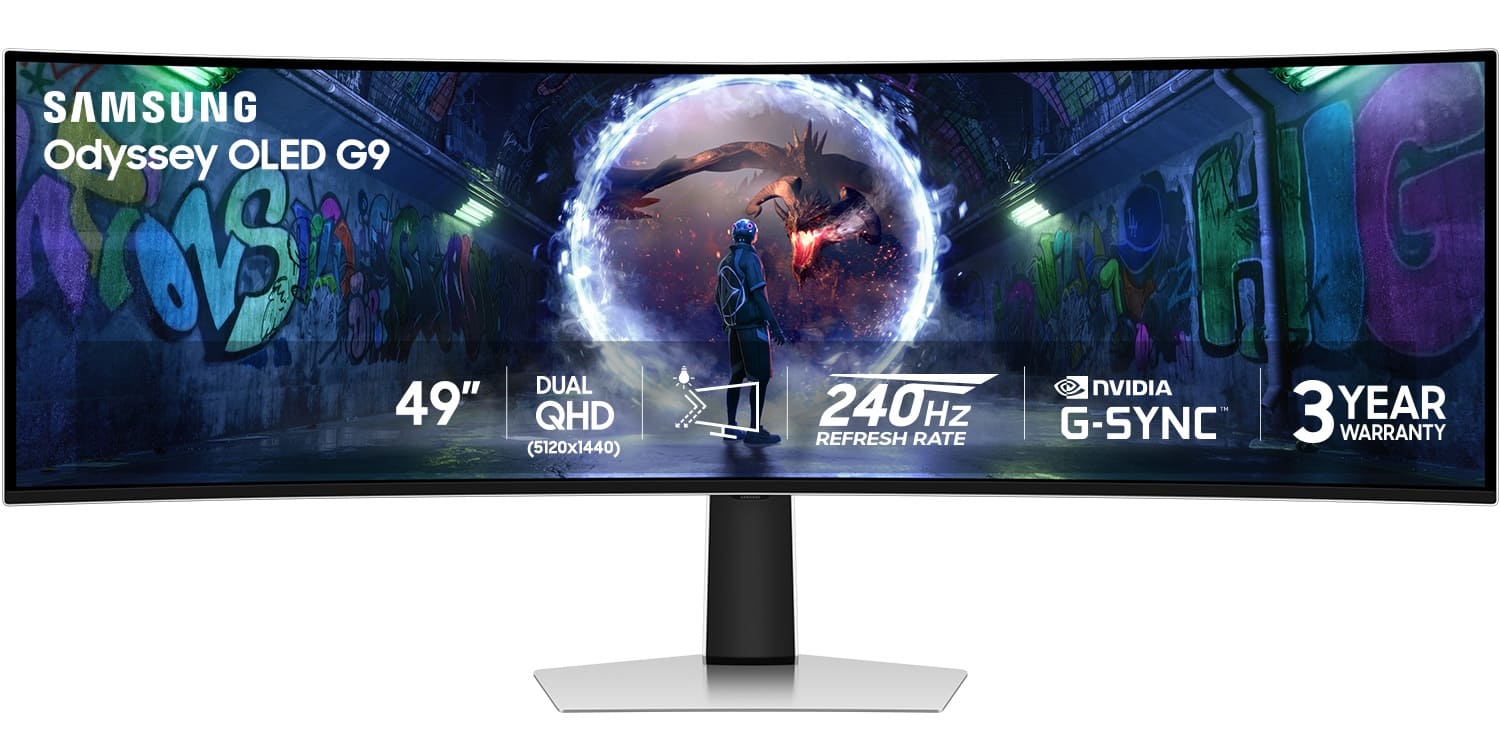
- Best for ultrawide PC play: the Odyssey OLED G9 49-inch or the GIGABYTE AORUS CO49DQ 49-inch QD-OLED, though these are not ideal for the PS5.
Why OLED for Gaming?
OLED pixels produce their own light, so a black pixel is completely off. That gives near-infinite contrast and a punchy image, particularly in dark scenes. Response times are extremely fast, so motion looks crisp. The trade-offs are cost, the possibility of image retention or burn-in over many hours of static content, and, on some panels, lower full-screen brightness than top mini-LED displays. For a mix of gaming and media, OLED is hard to beat. For a deeper explanation, read our QD-OLED vs WOLED guide and OLED vs QLED guide.
4K OLED Monitor for PS5: What to Check
- HDMI 2.1 for 4K at 120Hz from the PS5.
- VRR support to match the display to the frame rate.
- A 16:9 aspect ratio. Ultrawide monitors will show black bars on the PS5.
- HDR10 support. The PS5 outputs HDR10.
- Low input lag. OLEDs generally do well here.
Read our companion guide on the best gaming monitors for PS5 for more.
Comparing the Catalogue Options
| Model | Panel and resolution | Notes |
|---|---|---|
| GIGABYTE MO27U2 | 27″ QD-OLED, 4K, 240Hz | Compact 4K option |
| MSI MAG 272UP | 27″ QD-OLED, 4K, 240Hz | Similar class, different brand |
| MSI MPG 321CURX | 32″ curved QD-OLED, 4K, 240Hz | Larger and curved |
| GIGABYTE AORUS FO27Q2 | 27″ QD-OLED, QHD, 240Hz | QHD for higher frame rates |
| Samsung Odyssey OLED G8 | 34″ curved OLED, WQHD, 240Hz | Ultrawide shape |
| Samsung Odyssey OLED G9 | 49″ curved OLED, 240Hz | Super-ultrawide PC monitor |
See the full list in our gaming monitors and monitors categories. Specifications can change by revision, so confirm them on each page.
Samsung Odyssey vs Gigabyte AORUS
Both brands make strong gaming monitors. Samsung’s Odyssey line is known for dramatic curved and ultrawide designs, and in our catalogue its OLED models are WQHD or super-ultrawide. Gigabyte’s AORUS and related lines include 27-inch 4K QD-OLED options that suit console and PC use. If your priority is a 4K picture for the PS5, the 27-inch 4K models are the more natural fit. If your priority is an immersive PC experience, the ultrawides are stunning. Think about where you will sit and what you will play.

Care and Burn-In
Protect your investment by using dark modes where available, avoiding static logos on screen for hours, and allowing the monitor’s built-in cycles to run. Reduce brightness for desktop use, and use a screen saver. Check the warranty to see whether burn-in is covered. These habits keep an OLED looking great for years.
Shipping and Buying
Monitors are large and fragile. The shipping policy states worldwide shipping and free standard shipping on orders over $250, with customs duties possibly applying to international parcels. Inspect the box on arrival, test for dead pixels immediately, and review the return policy.
Getting the Best Picture From an OLED Monitor
An OLED monitor reaches its potential only if it is set up properly. Start with the cable: use a certified high-speed HDMI cable for the console, and DisplayPort or HDMI for the PC depending on what your graphics card supports. In the monitor’s menu, choose a picture mode designed for gaming, enable variable refresh rate and turn on HDR when playing HDR content. On Windows, run the HDR calibration tool so highlights are not clipped. On the PS5, run the HDR calibration in the video settings. A few minutes of calibration make a visible difference.
Room lighting matters as well. Glossy OLED panels can show reflections in bright rooms, so position the monitor away from windows or use curtains. In a dark room, an OLED really shines, and you will see why enthusiasts rave about contrast. If you use the monitor for work during the day, set a lower brightness and switch to a dark theme to reduce wear on the panel.
Text clarity and everyday use
QD-OLED and WOLED panels use different subpixel layouts, and some people notice slightly softer text on certain designs, especially at lower resolutions. A 4K panel at 27 inches has high pixel density, which minimises this effect. If you plan to spend many hours working on text, look at reviews that discuss text rendering for the specific model.
Which Size and Resolution Should You Choose?
Size and resolution are linked to desk depth. A 27-inch 4K monitor is sharp and comfortable on a standard desk. A 32-inch monitor suits deeper desks and a more cinematic feel but demands more distance. A 34-inch or 49-inch ultrawide changes the experience entirely for PC games that support wide aspect ratios and creative work that benefits from extra horizontal space. If you plan to use the PS5 on the same screen, stay with 16:9 so the console fills the screen.
Think about frame rates, too. The PS5 targets up to 120 frames per second, and a 240Hz display will not make it faster. PC gamers with powerful graphics cards benefit from the higher refresh rates, but they need the hardware to match. If you are considering a PC upgrade, our gaming laptop guide and gaming PCs category can help, while the refresh rate guide explains when extra Hz really matters.
Burn-In, Brightness and Everyday Habits
People worry about OLED burn-in more than they should, and less than they should in some situations. The real risk comes from displaying the same bright static element, such as a taskbar or a game HUD, for many hours every day. Casual gaming and varied content carry much lower risk. Practical habits make a difference: set an auto-hiding taskbar, use dark mode, enable screen savers and let the monitor run its pixel refresh cycles. Check the warranty terms, because some manufacturers cover burn-in for a period and others do not.
Cables and Connections for PS5 and PC
For a PS5, you will use HDMI. For a PC, DisplayPort often supports the highest refresh rates. Many monitors have both, plus USB-C. Use the cables included or certified replacements. If you use a monitor with a KVM or USB hub, check that the console input works properly. Keep the firmware updated, since manufacturers sometimes release updates that improve HDMI compatibility. If the PS5 refuses to show 4K 120Hz, test a different cable and a different HDMI port first.
Checklist before you buy a 4K OLED monitor
- Confirm resolution and refresh rate over HDMI.
- Check for VRR and HDR10 support.
- Read about burn-in protection and warranty.
- Match size to your desk depth.
- Compare the delivered price and return policy.
Our gaming monitor buying guide and QD-OLED vs WOLED guide cover the technical side in more detail.
Which Monitor Fits Which Player?
Different players will land on different monitors. A console-first player who wants a sharp, fast screen for a PS5 should look at a 27-inch 4K QD-OLED such as the Gigabyte MO27U2 or the MSI MAG 272UP, after confirming HDMI 2.1. A player who splits time between a PC and a console may prefer a 32-inch model for more screen size. A PC-first player who loves immersion may enjoy the Samsung Odyssey OLED G9 or the Gigabyte AORUS CO49DQ, accepting that the PS5 will not use their full width. A player who wants very high frame rates in competitive PC games may choose a QHD OLED like the Gigabyte AORUS FO27Q2, which trades resolution for speed.
Questions to settle before you buy
- How far will you sit from the screen?
- Will the PS5 and a PC share it?
- How much do you value 4K sharpness compared with frame rate?
- Does your desk have space for the stand and the monitor depth?
- Is warranty coverage for burn-in important to you?
Answering these questions narrows the field far more effectively than comparing specification tables. When you have a shortlist, open each product page, confirm the HDMI version and read the warranty. The gaming monitors category is the best place to compare what is available now, and our PS5 monitor guide adds more background. If you want help with a particular listing, the contact page reaches the team.
Shipping and Warranty for Large Monitors
Large monitors need careful handling. Keep the original box until you are sure the panel is perfect, and test for dead pixels, backlight issues and uneven colour as soon as it arrives. Photograph any damage before contacting the seller. The shipping policy states worldwide shipping, free standard shipping on orders over $250 and possible customs charges on international parcels. For a delicate item like a monitor, tracked delivery and a clear return policy matter more than a small saving.
Gigabyte AORUS OLED Monitor Options
A Gigabyte AORUS OLED monitor such as the FO27Q2 or CO49DQ brings QD-OLED contrast and fast response. Check the resolution, HDMI version and warranty on each product page, because the AORUS line includes both QHD and ultrawide models. The brand’s 4K options in our catalogue, such as the MO27U2, are a better fit for a PS5.
Look at the stand, the connectivity and the on-screen menu as well. A good OLED monitor is a daily tool, and small comfort details such as height adjustment and easy input switching make a real difference.
For official information, see GIGABYTE’s official website, and always verify details with the manufacturer before you buy.
In short: when it comes to best 4k oled monitors, compare the total cost, read the store policies and confirm every detail before you pay. A careful approach to best 4k oled monitors saves money and avoids unpleasant surprises.
Frequently Asked Questions
Is the Samsung Odyssey OLED G8 4K?
The listing describes it as a 34-inch curved WQHD model, not 4K.
Can a PS5 use an ultrawide monitor?
Not natively; expect black bars.
Is QD-OLED better than WOLED?
They have different strengths. See our comparison guide.
Will an OLED burn in?
It can with heavy static content, but modern monitors include protection.
What should I pair it with?
A good headset and the right cable; see our accessories guide.
Final Verdict
For a combined PS5 and PC desk, a 27-inch 4K QD-OLED is a superb choice. Browse the gaming monitors, confirm HDMI 2.1 on your pick, and complete your setup with our complete home gaming setup guide.