PS5 for Families: Is It Worth Buying for Kids and Adults in the USA and Canada?
Is the PS5 for families a good idea, or will it become a source of arguments about screen time and spending? The answer depends on how you set it up. With sensible rules and the right settings, the PlayStation 5 can be a shared activity for parents, teenagers and younger children. This guide answers is the PS5 good for kids, explains PS5 parental controls step by step, suggests PS5 family games, and covers buying considerations for households in the USA and Canada. Prices and stock change, so check the live listings.

Table of Contents
PS5 for Families: Quick Answer
- Yes, if you use the built-in family tools, choose age-appropriate games and agree on rules about time.
- The Digital Edition is convenient for families who download games, while a disc console suits households that want to swap or lend games.
- Consider a Switch if your children are young and you want portable, family-friendly play. See PS5 vs Switch OLED.
Who Is the PS5 For in a Family?
| Household member | What they might enjoy |
|---|---|
| Young children | Colourful platformers, creative games, simple co-op |
| Teenagers | Sports, racing, online multiplayer, action games |
| Parents | Story-driven adventures, streaming apps, family nights |
Setting Up PS5 Parental Controls
PlayStation’s family management lets a parent or guardian create child accounts and control what they can do. Exact menus change with software updates, but the main options are consistent.
- Create a family: Set up a family on the account of the adult who will manage it.
- Add child accounts: Enter the child’s date of birth so age-appropriate defaults apply.
- Set playtime limits: Choose daily limits and times when play is allowed.
- Restrict spending: Set a monthly spending limit or turn off purchases.
- Control communication: Limit chat and who can message your child.
- Use age ratings: Restrict games by rating. In the USA and Canada, look for ESRB ratings.
Set these controls on day one, before the console is handed over. Our PS5 setup guide covers the initial steps.
Choosing Family-Friendly Games
Look at the age rating and also at the content descriptors, which explain what a rating means. Co-op games, racing, platforming and sports are usually a safe starting point. Test unfamiliar games yourself, or watch a short gameplay video, before you let younger children play. Our best PS5 games guide lists several titles that suit many age groups.
Which PS5 Should a Family Buy?
Most families do well with the Slim. If everyone downloads, the PS5 Slim Digital Edition is a sensible, compact choice. If you want to lend or buy used discs, consider a disc console; our digital versus disc guide explains the trade-offs. If a child is a fan of Marvel, the Wolverine limited-edition bundle is aimed at an older audience, so check the game’s age rating before buying.

Extras That Help Families
- A second controller for local co-op: see the controllers category.
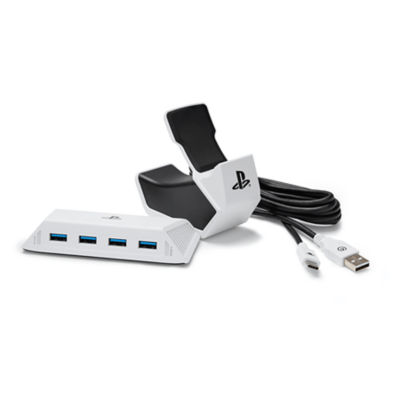
- A charging station so pads are always ready: the PowerA charge and connect pack is one example.
- Headsets for late-night or quiet-house play: see gaming headsets.
- Extra storage as the library grows: see our storage guide.
Healthy Gaming Habits
Technology works best with clear household rules. Agree on when and how long the console can be used, keep it in a shared space, and encourage breaks. Talk with children about online safety, including not sharing personal information and what to do if they encounter bullying. Check in regularly, and adjust the rules as children grow.
Buying in the USA and Canada
US and Canadian households use the same plug standard, so a console bought in either country works in the other. Check sales taxes and, for cross-border orders, duties. Our Canada buying guide and cheapest PS5 prices guide explain how to compare. The store’s shipping policy states worldwide shipping, free standard shipping on orders over $250, and possible duties on international parcels.
Talking to Kids About Games, Time and Money
Rules work best when children understand the reasons for them. Explain that playtime limits help with sleep, schoolwork and other activities, and let older children help set the schedule. Discuss spending openly: many games offer in-game purchases, and children may not realise that real money is involved. Setting a small monthly allowance with a parent-approved process teaches budgeting without unpleasant surprises. Make it clear that sharing passwords or accepting gifts from strangers is not allowed.
It also helps to play together. Sitting beside a child while they play shows you what they enjoy, lets you spot problems early and creates shared memories. Many parents find that a weekly family game night makes gaming a positive routine instead of a battleground. If a child struggles to stop, use the console’s timer features as a neutral referee, so the rule comes from the system and not from an argument.
Handling online interactions
Online play can be a great way for friends to connect, but it carries risks. For younger children, restrict communication to approved friends, and consider turning off voice chat. For teenagers, discuss reporting and blocking tools and encourage them to tell you if something feels wrong. Keep the console in a shared room where possible.
Making the Console Part of Family Life
A PS5 is also a media hub. Many families use it for streaming films and shows, which can reduce the number of devices in the living room. It can double as a fitness tool through compatible games, a creative outlet through building and art games, and a bridge between generations when grandparents join in a casual game. Think about the room: place the console where the whole family can see the screen, with good ventilation and tidy cables. If space is tight, a compact monitor in a playroom can work, as our PS5 monitor guide explains.
Finally, keep your purchase records. If you buy online, save the order confirmation, read the return policy and test the console as soon as it arrives, as explained in our guide to buying a PS5 online safely. You can ask questions before you order using the contact page.
A Family Setup Plan, Step by Step
Preparation makes the first week with a PS5 much smoother. Before the console arrives, decide who will manage the family account, which games are suitable, and what the weekly time limits will be. Create the accounts, set up parental controls and agree the rules together. On the day, install the console in a shared room, test the controllers and download one or two age-appropriate games. After a week, review how it is going and adjust. This step-by-step plan turns the PS5 into a positive family activity rather than a source of conflict.
A sample weekly schedule
| Day | Suggested use |
|---|---|
| School days | Short sessions after homework, within the time limit |
| Weekends | Longer sessions and family game time |
| Family night | Co-op or party game with everyone |
Games Parents Can Enjoy Too
A PS5 for kids and adults works best when parents find games they enjoy. Cooperative adventures, relaxed puzzle games and sports titles let adults join in without needing advanced skills. Some story-driven games suit teenagers and adults together, while younger children can play alongside with simple co-op roles. Trying a game together is also the best way to check whether it is appropriate. Our best PS5 games guide has ideas for different tastes, and our PS5 vs Switch OLED comparison helps if you are deciding between two consoles for the household.
Cost Planning for Families
A family console is a recurring cost as well as a one-time purchase. Think about the console, extra controllers, an online subscription if you want multiplayer, games and storage. Set a monthly budget and decide who can spend within it. Use the family spending limits so children cannot exceed it. Look for bundles that include a game, but check whether the game is appropriate for your children. Prices change, so confirm the current figures on the PS5 Slim Digital Edition and bundle pages.
If you live in the USA or Canada, remember that taxes are added at checkout and cross-border orders can involve duties. The store’s shipping policy states worldwide shipping, free standard shipping on orders over $250 and possible customs charges on international parcels. Keep the receipt and read the return policy in case the console is a gift that needs to be exchanged.
Safety and wellbeing tips
- Encourage breaks every hour to rest eyes and move around.
- Keep the console in a shared space.
- Check in about who children talk to online.
- Use headsets at a safe volume.
- Balance gaming with sleep, homework and outdoor activities.
When a PS5 Might Not Be the Right Fit
A PS5 is not right for every family. If your children are very young and mostly want simple, portable play, a handheld may suit better. If your household is tight on space or has no suitable television, consider the display first. If screen time is already a struggle, adding a console may need extra planning. A good family purchase is one that matches your habits and values, with clear rules and a shared understanding. If you decide to proceed, set up the console carefully, and use the family tools from the first day so the console fits comfortably into family life.
Frequently Missed Family Settings
Parents often forget to restrict voice chat, set bedtime play limits, review friend requests and check that downloaded content matches the age rating. Revisit these settings every few months, because children grow and new features appear. A quick review keeps the console aligned with your family rules.
Choosing a Family Gaming Console
A family gaming console should be easy to learn, offer strong parental controls and have games for every age. The PS5 is a strong candidate when you have older children and adults, while a portable console may suit younger kids. Think about your space, your budget and how the family will use it, and choose the one that fits your habits.
Do a trial week. Set the rules, play together a few times and see how everyone feels. Adjust the settings as needed. A console is a shared household item, and its success depends as much on how you use it as on the hardware itself.
For official information, see PlayStation’s official website, and always verify details with the manufacturer before you buy.
In short: when it comes to ps5 for families, compare the total cost, read the store policies and confirm every detail before you pay. A careful approach to ps5 for families saves money and avoids unpleasant surprises.
Browse the full PlayStation range in our PlayStation 5 consoles and PlayStation 5 Pro categories, and find matching extras in Sony gaming accessories and DualSense controllers.
Frequently Asked Questions
What age is the PS5 suitable for?
It depends on the games. The console itself has controls to match content to age.
Can I limit my child’s playtime?
Yes, with family management settings.
Can children spend money by accident?
Not if you set spending limits or disable purchases.
Can the whole family play together?
Yes, with co-op and party games and extra controllers.
Is the PS5 better than a Switch for families?
The Switch is more portable and often easier for young children; the PS5 offers bigger games.
Final Verdict
A PS5 can be a great family purchase when paired with parental controls and thoughtful game choices. Start by browsing the consoles and complete your plan with the home gaming setup guide.