Best Gaming Laptops 2026: MSI, HP OMEN and ASUS ROG for PC Gaming
The search for the best gaming laptops 2026 has to offer usually starts with a graphics card number and ends in confusion about everything else. This guide narrows it down. It covers MSI gaming laptops, HP OMEN laptops and ASUS ROG laptops available in the BestBuyGadgett catalogue, and explains what to look for in a laptop for PC gaming. It also addresses a common misunderstanding in the search for “PS5 emulation”: there is currently no practical way to emulate a PS5 on a laptop, so we focus on what laptops genuinely do well, which includes PC gaming, game streaming from your console and everyday work.
We only describe specifications that appear in our product titles and avoid making performance promises. Prices and stock change, so check each listing.

Table of Contents
Best Gaming Laptops 2026: Quick Answer
- Best for balanced value: an MSI Katana or Thin class laptop. See the MSI Katana 15.6-inch gaming laptop.
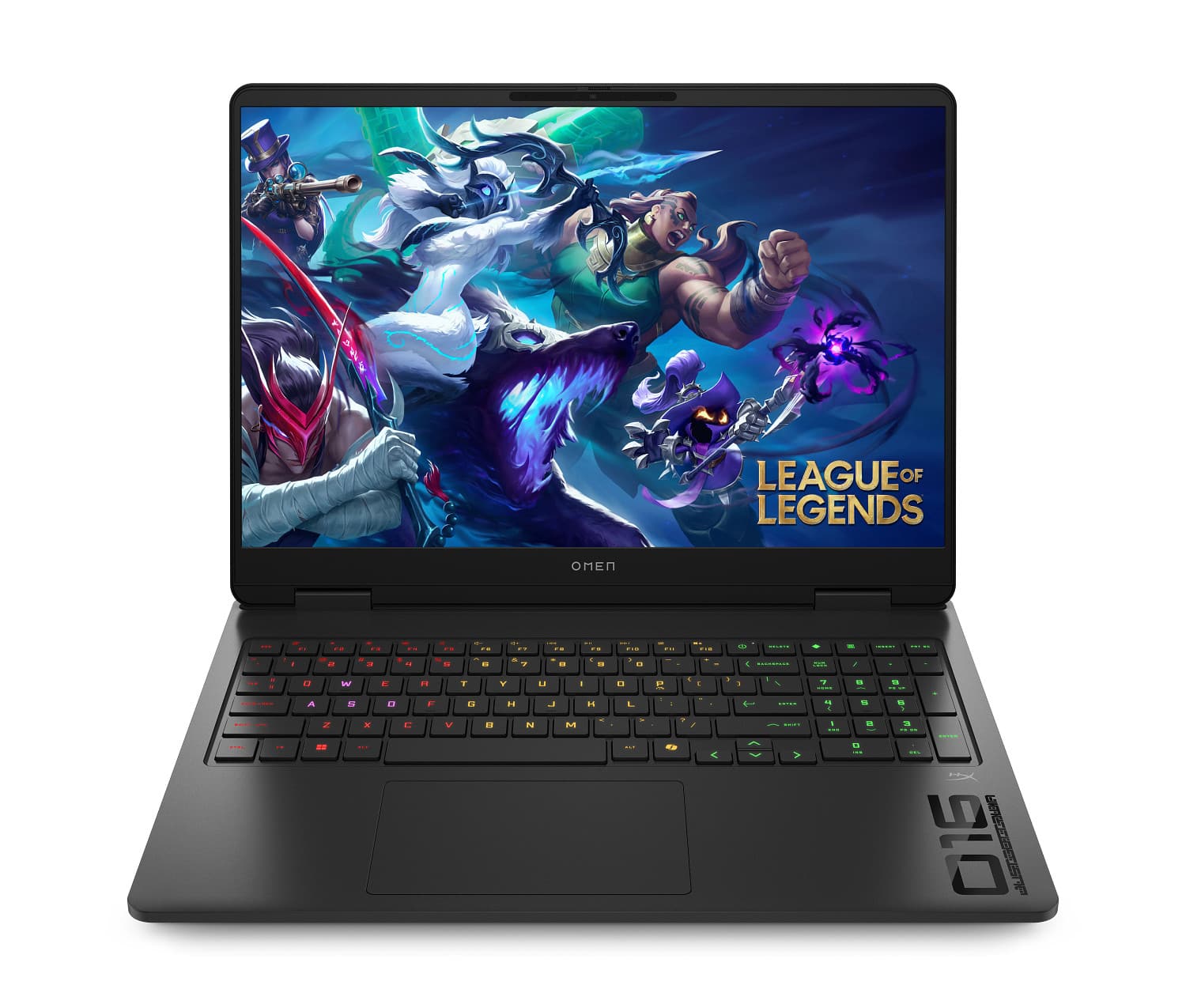
- Best for a premium all-rounder: an HP OMEN 16, such as the HP OMEN 16 with Ryzen AI 9 and RTX 5070.
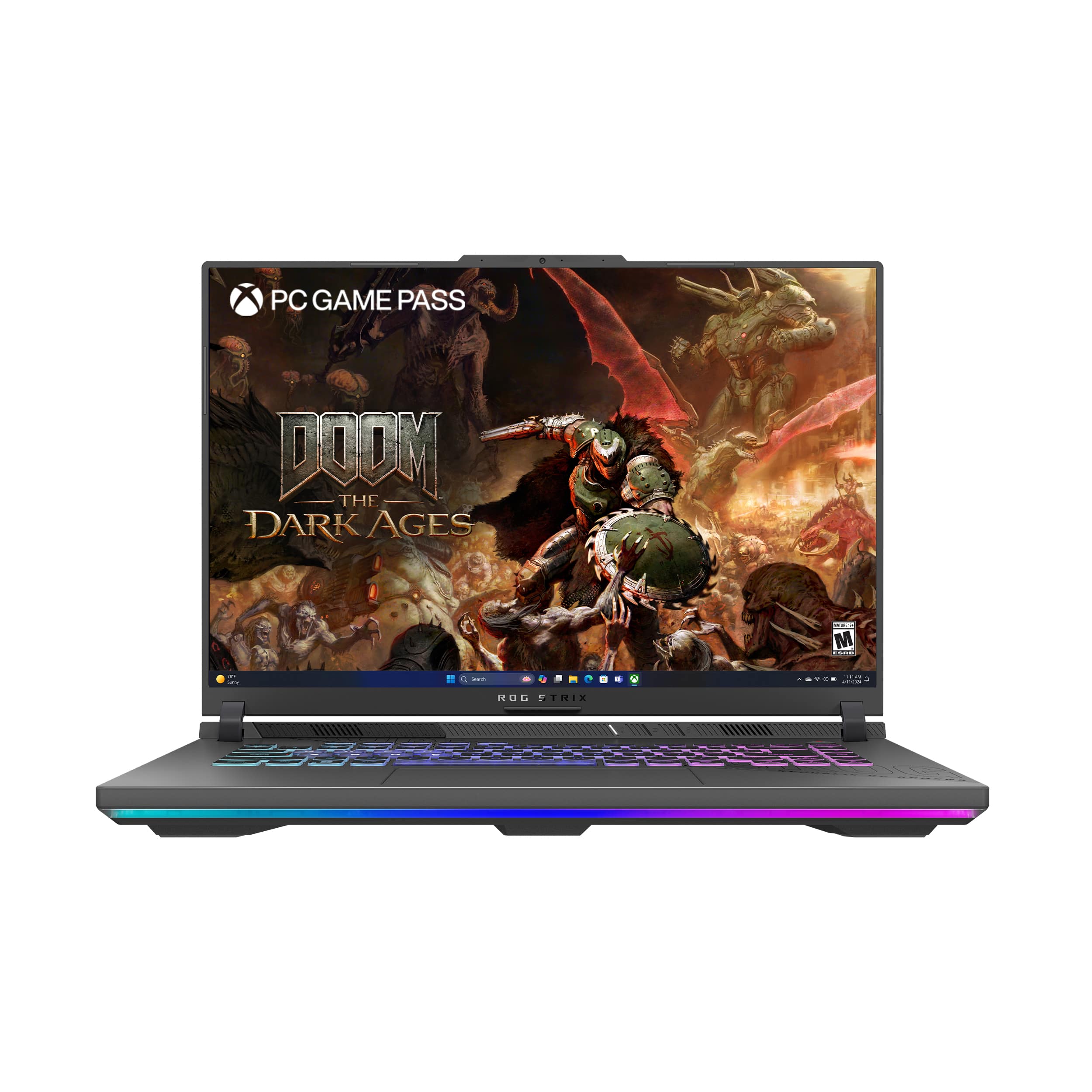
- Best for high-end performance: an ASUS ROG Strix, such as the ROG Strix G18 or ROG Strix G16.
- Best for portability: the ROG Flow Z13 or the HP OMEN Transcend 14.
About “PS5 Emulation” on a Laptop
Many shoppers search for PS5 emulation, but there is no established, practical PS5 emulator, and playing games you do not own is illegal in many places. What a gaming laptop can do is run PC versions of games, stream games from your own PS5 using the official Remote Play feature, and, if you wish, play older titles you own through legal means. If your goal is to play PlayStation games away from the TV, Remote Play over a good internet connection is the legitimate route. You can read how to prepare your console in our PS5 setup guide.
What Matters in a Gaming Laptop
Graphics card
The GPU determines frame rates and resolution. Our listings name cards such as the RTX 5060, 5070, 5070 Ti and 5080. Higher-numbered cards generally perform better, though laptop versions run at lower power than desktop cards, so a laptop RTX 5070 is not the same as a desktop RTX 5070. Compare laptops by their reviewed performance, not only the number.
Processor and memory
A recent Intel Core i7 or AMD Ryzen processor suits gaming. 16 GB of RAM is a minimum; 32 GB gives headroom for multitasking, streaming and heavy games. Our guide on how much RAM a gaming laptop needs goes into detail.
Display
Look at refresh rate, resolution and panel type. 144Hz to 240Hz panels give smooth motion. OLED panels such as the one on the OMEN Transcend 14 offer vivid contrast. Our OLED vs QLED guide and refresh rate guide explain the terms.
Cooling and noise
Powerful laptops generate heat. If temperatures climb, performance drops. Read about gaming laptop overheating to know what to check.
Storage
Choose an NVMe SSD with at least 1 TB if you install several large games. Compare with our guide to SSD vs HDD.
Laptop Picks by Brand
| Brand | Example in catalogue | Best for |
|---|---|---|
| MSI | Katana 15.6″, Thin 15.6″ | Value-focused gaming |
| HP OMEN | OMEN 16, OMEN Transcend 14 OLED | Balanced power and design |
| ASUS ROG / TUF | ROG Strix G16, TUF Gaming F16 | Performance and build quality |
See the full range in the gaming PCs and computers and tablets categories, plus the MSI brand page.
Gaming Laptop or PS5?
A laptop is more flexible but costs more for equivalent graphics performance, while a PS5 is simpler and cheaper. Many players have both. If you also want a console, read best gaming console for 2026 and our PS5 vs Xbox comparison.
How to Read a Gaming Laptop Listing
Gaming laptop product titles pack in a lot of information, and learning to decode them avoids expensive mistakes. A typical title lists the screen size, refresh rate, processor, graphics card, memory and storage. The processor name tells you the family and generation; the graphics card name tells you the tier; the memory figure gives the RAM; and the storage figure shows the drive capacity. Always confirm the details on the product page, because a title can be abbreviated and configurations differ even within one model line.
Pay special attention to the graphics card line. Laptop GPUs come with different power limits, and two laptops with the same GPU name can perform differently depending on cooling and power settings. Reviews that test the specific model are more reliable than a spec sheet. If a listing does not state the graphics memory or power level, treat performance claims with caution, and ask the seller if something is unclear.
Resolution and refresh rate trade-offs
A high-resolution panel looks sharp but asks more of the GPU, so frame rates drop. A lower-resolution panel with a high refresh rate favours smoothness. For competitive games, many players choose 1080p or 1440p at 165Hz to 240Hz. For single-player visual showpieces, a 2.5K or 3K panel can be more impressive. The right answer depends on the games you play.
Living With a Gaming Laptop
A gaming laptop is a compromise between power and portability. It is heavier than an ordinary laptop, the battery lasts less time under load, and the fans can be loud. Many owners keep it plugged in for serious play and use a cooling stand to keep temperatures in check. Clean the vents occasionally, keep the software updated, and use the manufacturer’s performance modes sensibly. Pair it with a mouse and headset for a better experience; our gaming headsets category has options, and the accessories guide covers peripherals that work well with consoles and PCs alike.
Warranty and support matter for expensive devices. Check the length and terms of the warranty on the listing, read the return policy, and keep your invoice. The shipping policy states free standard shipping on orders over $250 and notes that duties may apply to international parcels, so factor those into your decision if you are ordering from abroad.
Gaming Laptop Buying Guide by Budget Tier
Rather than quoting prices that will date quickly, think in tiers. An entry tier laptop, such as the MSI Thin class, gets you into PC gaming with a mainstream graphics card. It will play many popular games at good settings at 1080p, though modern demanding titles may require lower settings. A mid tier, such as the MSI Katana or HP OMEN 16, gives more graphics power and often a better display, and it is the sweet spot for most buyers. A high tier, such as ROG Strix, adds more powerful graphics, larger screens and stronger cooling for those who want the best performance and do not mind weight and cost.
- Entry: good for esports and older titles, with some compromise on newer games.
- Mid: a balanced choice for 1080p to 1440p play at high settings.
- High: for high refresh rates, higher resolutions and future-proofing.
MSI Gaming Laptops, HP OMEN Laptops and ASUS ROG Laptops Compared
Each brand has a personality. MSI gaming laptops tend to focus on value and raw performance with a straightforward design; the Katana and Thin lines are popular entry and mid options. HP OMEN laptops combine gaming performance with a more refined look, and the OMEN Transcend line adds an OLED display in a thin body. ASUS ROG laptops are known for strong cooling, high refresh displays and a wide range from the powerful Strix to the portable Flow. The ASUS TUF line sits between value and durability. None of these brands is universally better; choose by the model, the reviews and the warranty terms listed on the product page.
Portability versus power
Thin and light models like the OMEN Transcend 14 and ROG Flow Z13 are easy to carry but have less cooling headroom than larger machines. Big laptops such as the ROG Strix G18 can sustain high performance but are heavy and loud. Decide how often you will carry the laptop. If it lives on a desk, prioritise cooling and performance. If you commute, prioritise weight and battery life.
Using a Gaming Laptop With a PS5
A laptop and a console work well together. You can use the laptop for Remote Play when the TV is busy, connect it to the same monitor you use for the console, or use it for creative work and PC-only games. A laptop can also be a handy second screen for guides and chat. If you do both, a monitor with multiple inputs makes switching easy; see our guide to gaming monitors for PS5.
Checking Warranty, Condition and Shipping
Laptops are expensive, so check the details before you buy. Confirm whether the listing is new or refurbished, the warranty length, and what the return policy covers. Look for the exact model number and compare it with the manufacturer’s page. On arrival, inspect the box and the laptop, check the screen for dead pixels, test the keyboard and ports, update the drivers and run a demanding game for a while to check temperatures. Keep the packaging until you are sure everything is fine.
The store’s shipping policy states worldwide shipping, free standard shipping on orders over $250, and possible customs duties on international parcels. Because a laptop is heavy and valuable, expect tracked delivery and possibly a signature. If something looks wrong, contact the team through the contact page with photos and your order number.
Common mistakes to avoid
- Comparing laptops only by graphics card name.
- Ignoring cooling and noise.
- Buying too little memory or storage.
- Forgetting that a high-refresh screen needs enough GPU power to use it.
- Expecting a laptop to emulate a console that has no available emulator.
Final Buying Tips
Write down your must-haves before you shop, compare at least two models and read the warranty carefully. Do not pay for performance you will not use. If you also own a PS5, you may need a smaller laptop than you think.
One last tip: check the laptop’s charger rating and weight before you buy. Gaming laptops often ship with large power adapters, and carrying one daily adds noticeably to your bag. If you travel often, consider whether a smaller model is the better choice, even if it gives up a little peak performance.
For official information, see ASUS ROG, and always verify details with the manufacturer before you buy.
In short: when it comes to best gaming laptops 2026, compare the total cost, read the store policies and confirm every detail before you pay. A careful approach to best gaming laptops 2026 saves money and avoids unpleasant surprises.
Frequently Asked Questions
Can a laptop emulate a PS5?
No practical PS5 emulator exists. Use PC games or official Remote Play.
How much RAM do I need?
16 GB minimum; 32 GB is more comfortable.
Is OLED good for gaming laptops?
Yes, for contrast and response, with some burn-in care.
Which brand is best?
It depends on budget and design preference; compare the specific models.
Can I connect a gaming laptop to a monitor?
Yes. See our 4K OLED monitors guide.
Final Verdict
For most players, a mid-range MSI or HP OMEN gives the best balance, while ROG Strix laptops suit those who want maximum power. Browse the gaming laptops and PCs and check each listing for current price and stock.