Best PS5 Accessories You Need in 2026: Controllers, Headsets and Charging Stations
The console is only the start of a great setup. The best PS5 accessories change how comfortable, organised and immersive your sessions feel, from a second controller that saves you swapping batteries mid-game to a headset that lets you hear footsteps and teammates clearly. This guide covers the PS5 accessories 2026 buyers ask about most: controllers, a PS5 charging station, the best PS5 headset choices, storage, carry cases and display upgrades, with links to the real products in our catalogue.
Prices, stock and compatibility notes change, so always read the live product page. We describe only what listings confirm, and where details are missing we tell you what to check.
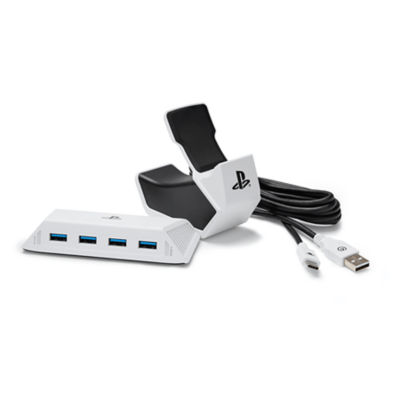
Table of Contents
Best PS5 Accessories: Quick Answer
- A second PS5 controller for co-op games and backup.
- A charging station so controllers are always ready.
- A headset for online play and immersion.
- Extra storage once your library grows.
- A better display if your screen limits resolution or refresh rate.
PS5 Controllers
The DualSense controller is the heart of the PS5 experience, with haptic feedback and adaptive triggers that supported games use to make actions feel tactile. A second controller is the single most useful accessory for most households, because it turns the console into a local multiplayer machine. When shopping, check that a controller is officially compatible with the PS5, because some pads only work with older consoles or PC.
Browse the controllers category for what is currently listed. Our catalogue also includes protective and themed extras such as the Astro Bot DualSense controller case.
What to look for
- Official PS5 compatibility.
- Comfort and weight for long sessions.
- Battery life and charging method.
- Warranty or return terms.
Charging Stations and Power
A charging dock keeps controllers topped up without cables trailing across the floor. It also protects the USB ports on the console. The PowerA Essentials PS5 Charge and Connect Pack is one example listed in our store, and the PlayStation VR2 Sense controller charging station serves VR2 owners. Read each listing for exactly what is included and what it connects to.
Good habits matter too. Dock controllers when you finish playing so you always start with a full battery, and avoid leaving them plugged in on a hot surface.
Gaming Headsets
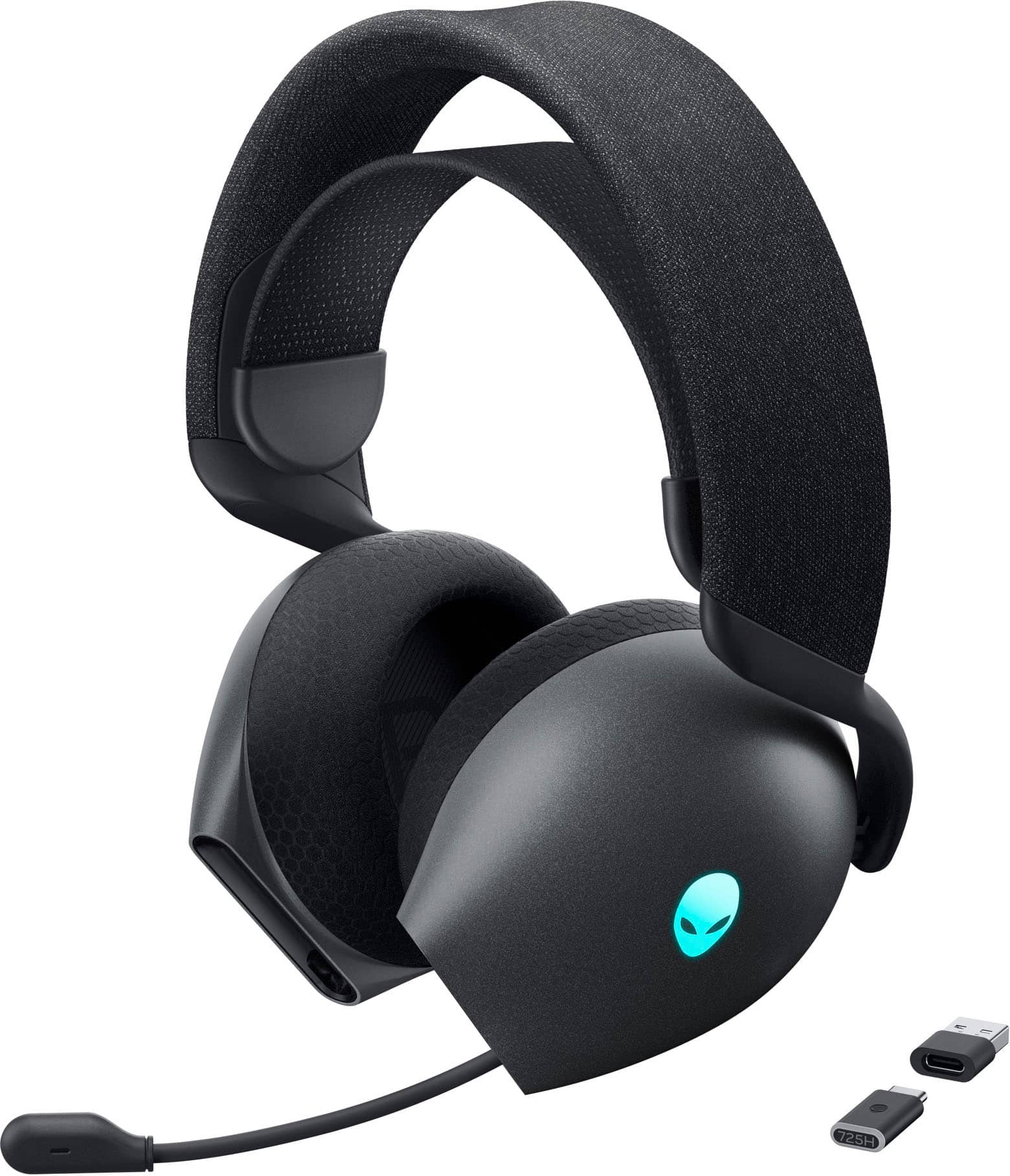
A headset improves immersion and teamwork. The PS5 supports 3D Audio on compatible headsets, and many players value a clear microphone for chat. Our gaming headsets category includes the Alienware AW725H tri-mode wireless headset and the MSI Maestro 300 wired closed-back headset. Before you buy, check how the headset connects to a PS5, whether it uses a USB dongle, Bluetooth or a cable, and whether it is listed as compatible with the console.
| Headset type | Best for | Consider |
|---|---|---|
| Wireless | Freedom of movement | Battery life and dongle compatibility |
| Wired | Simple, reliable play | Cable length and comfort |
| Tri-mode | Several devices | Pairing process and PS5 support |
Storage and Cases
As your library grows, storage becomes essential. Our PS5 storage upgrade guide covers M.2 SSDs, and the storage category lists options. For travel, items like the Nacon backpack for PS5 and the PowerA PlayStation Portal accessory bundle are worth a look if you carry gear between homes. Check each listing for the exact compatible console or device.
Displays and Audio
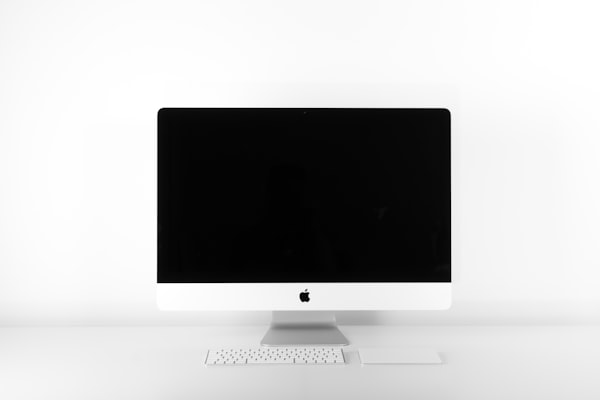
A display with HDMI 2.1 and a high refresh rate unlocks 120Hz modes in supported games. See our guide to the best gaming monitors for PS5 and the best 4K OLED monitors for details. Our gaming monitors category lists current options such as the Samsung Odyssey OLED G8.
Buying Tips
- Choose accessories that are explicitly PS5 compatible.
- Prefer sellers with clear return policies; read the store return policy.
- Combine items into one order; the shipping policy states free standard shipping on orders over $250.
- Be aware that customs duties may apply on international parcels.
Accessories That Make Everyday Use Easier
Small items often matter more than expensive ones. A stand or base keeps the console stable and improves airflow, which helps it run cooler. Cable management clips stop HDMI and power cables from being yanked out when someone trips. A microfibre cloth and compressed air keep vents clear of dust, and a surge-protected power strip protects the console during storms. None of these are glamorous, but together they can extend the life of your hardware and keep your living room tidy.
Think about where the console sits. In a cabinet, you need ventilation; on a shelf, you need a stable base; on a desk, you need cables long enough to reach. Measure before you buy anything that has to fit, and leave space around the console so heat can escape.
Accessories for Different Types of Player
Competitive players
If you play shooters or sports games online, prioritise a responsive display, a reliable headset and a controller you can rely on. A monitor with low input lag and high refresh rate can help, as explained in our monitor guide. Keep a spare controller charged so a dead battery never costs you a match.
Families
Choose durable cases, multiple controllers and a charging dock that everyone can use. Our PS5 for families guide covers parental controls and shared play.
Players who travel
If you move your console between homes, a padded bag and a compact setup save stress. Check the size and weight of what you carry, and keep every cable in one place.
How to Avoid Poor-Quality Accessories
The market includes many unbranded accessories with exaggerated claims. Warning signs include unrealistic battery claims, no model number, no warranty information and reviews that all sound the same. Buy from sellers who list the product details clearly and offer a return route. If something fails, being able to return it is more valuable than saving a small amount at purchase. You can ask our team about a listing through the contact page before ordering.
Choosing a PS5 Controller: A Closer Look
The controller is the part of the console you touch for hours, so it deserves more thought than any other accessory. Start with the basics of fit. Hands vary a great deal, and a controller that feels perfect to one person can cramp another. If you can, handle a pad before buying, or check the return terms in case it does not suit you. Pay attention to the weight, the grip texture and the position of the thumbsticks, which determine how comfortable long sessions will be.
Next consider durability. Analogue sticks are the most common failure point on any modern controller, and drifting, where the cursor moves without input, is the complaint players mention most. Protective cases and good storage habits help, and buying from a seller with a clear warranty gives you a route to a replacement. Finally, think about battery life. The DualSense is rechargeable and lasts for several hours, but heavy use of haptics and a headset plugged into the pad can shorten it. Having a second controller on a charging dock means you can swap without interrupting a game.
Official versus third-party controllers
Official controllers guarantee full feature support, including haptics and adaptive triggers. Third-party pads can offer extra buttons, paddles or different shapes, but features vary and some are designed for particular games or for use with other platforms. Check carefully that a pad is listed as compatible with PS5 games rather than only with PC or older consoles. Read the product description in full and look for statements about wireless operation, headset jack support and software updates.
Choosing a PS5 Headset: A Closer Look
A headset should be judged on comfort, microphone clarity and how reliably it connects. Closed-back designs block out room noise and keep your sound from disturbing others, while open-back designs often sound more natural but leak sound. Weight and clamping force matter for long sessions, and breathable ear cushions help if you play in warm rooms. If you wear glasses, look for padding that does not press the frames against your head.
Connectivity is where PS5 owners most often get caught out. Some wireless headsets use a small USB dongle that plugs directly into the console, others use Bluetooth, which the PS5 does not generally support for audio, and some offer both along with a wired option. A wired headset that plugs into the controller is the simplest option and works with any console, but you are tied to a cable. Read the listing closely, and ask the seller if anything is unclear before you commit.
Building a Complete Setup Without Overspending
You do not need to buy everything at once. A sensible order is a second controller, a charging dock, a headset, extra storage and finally a display upgrade. Spread the purchases over several months and you can take advantage of sales, and you will learn what you actually use. If you do want to order several items together, remember that the shipping policy states free standard shipping on orders over $250, so grouping accessories can reduce delivery costs. Always confirm what applies to your country at checkout and check the shipping policy for customs notes.
For the next step, our guide to gaming monitors for PS5 explains what to look for in a display, and the PS5 setup guide walks you through getting everything connected. If you are still choosing a console, start with the PS5 Slim Digital Edition or compare editions in our PS5 Pro vs Slim vs Digital guide.
Accessories to Skip, and Accessories Worth Saving For
It is tempting to buy every shiny add-on, but some are better than others. Skip anything that promises dramatic performance gains without evidence, such as unbranded cooling gadgets that claim to transform your console. Be careful with extremely cheap cables and chargers, which may not meet safety standards. Save your money for the items that make a daily difference: a comfortable headset, a reliable controller, a charging dock, adequate storage and a screen that suits your console. If you can, read independent reviews and check the seller’s return policy, so you are not stuck with a poor purchase. Over time, the best accessories are the ones you forget about because they simply work.
For official information, see PlayStation’s official website, and always verify details with the manufacturer before you buy.
In short: when it comes to best ps5 accessories, compare the total cost, read the store policies and confirm every detail before you pay. A careful approach to best ps5 accessories saves money and avoids unpleasant surprises.
More PlayStation extras are in our Sony gaming accessories category, including DualSense controllers, the PlayStation VR2 and the PlayStation Portal. Console hardware is in the PlayStation 5 and PlayStation 5 Pro categories.
Frequently Asked Questions
What is the most important PS5 accessory?
A second controller, followed by a headset and extra storage.
Can I use any headset on a PS5?
Many work, but check the connection type and whether it is listed as PS5 compatible.
Do I need a charging station?
It is not essential, but it is convenient and keeps controllers ready.
Can I use PS4 accessories on a PS5?
Some, such as many headsets, work, but PS4 controllers do not play PS5 games.
Where do I start building a setup?
See our complete home gaming setup guide.
Final Verdict
Start with a controller, charging and a headset, then add storage and a display as your needs grow. Browse the gaming accessories category or the full gaming collection to put your kit together.