MacBook Pro M4 for Content Creators Who Also Game on PS5
Content creators who also game on a PS5 want one thing from their laptop: a machine that edits video, photos and audio without fuss, and that fits into a gaming lifestyle without turning into a compromise. This guide looks at the MacBook Pro M4 for content creators, how MacBook Pro M4 gaming really works, how it compares with a MacBook Pro M4 vs gaming laptop choice, and how to use PS5 Remote Play on a Mac. We also compare the MacBook Pro 14 vs 16 models available in the BestBuyGadgett catalogue.
We only repeat specifications that appear in our product titles and avoid claiming benchmark numbers. Prices and stock change; check each page.
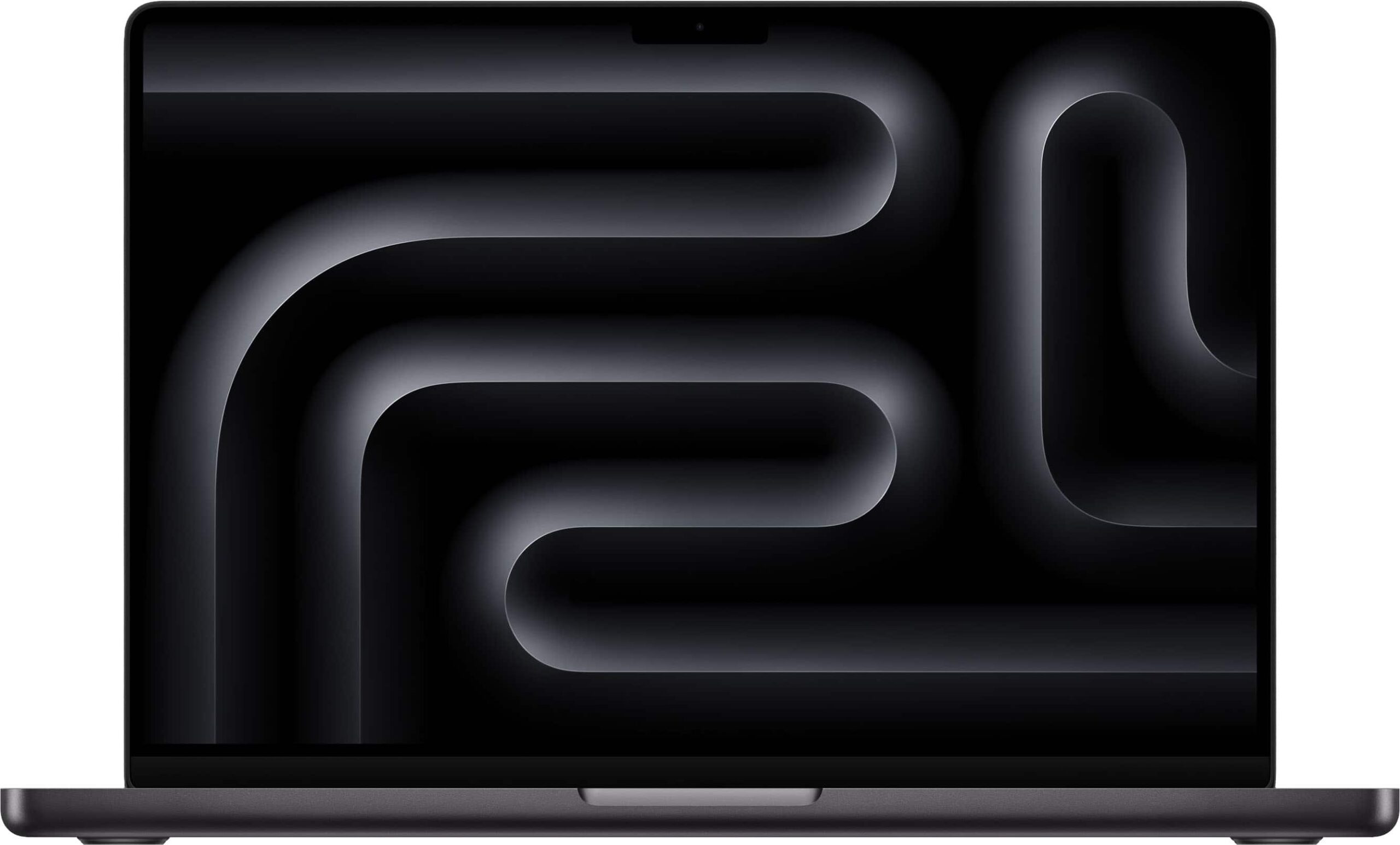
Table of Contents
MacBook Pro M4 for Content Creators: Quick Answer
- Choose it if your main work is video, photo, music or design, and gaming is a secondary hobby handled mostly by your PS5.
- Choose a Windows gaming laptop if you want the largest PC game library and are happy with a heavier, louder machine. See our best gaming laptops guide.
- Own both if you can: a MacBook Pro for work and a PS5 for play is a very effective combination.
The MacBook Pro Models in Our Catalogue
| Model | Listing highlights | Good for |
|---|---|---|
| MacBook Pro 14-inch, Apple M4 chip, 16 GB RAM | Compact, portable | Creators who travel |
| MacBook Pro 16-inch, Apple M4 Pro chip, 24 GB RAM | Larger screen, higher-tier chip | Heavier editing and large timelines |
Browse more in the Apple products category. Check the product pages for exact configuration, storage and condition.

MacBook Pro M4 for Content Creation
Apple silicon is known for strong performance per watt, which means fast exports and smooth timelines without the fan noise typical of many Windows laptops. The Liquid Retina XDR display is a standout for colour work, with wide colour support and high brightness for HDR content. Memory is shared between the CPU and GPU, so the amount of RAM matters for large projects. For video editors working with high-resolution footage, the 24 GB configuration on the 16-inch model offers more headroom than the 16 GB on the 14-inch model.
Why creators who also game like it
- Quiet, cool operation during long edits.
- Long battery life for travel and location work.
- Excellent speakers and microphones for calls and rough audio.
- Seamless integration with an iPhone and AirPods.
MacBook Pro M4 Gaming: What Is Realistic?
Gaming on macOS has improved, with more native titles and tools that help translate Windows games, but the library is still smaller than on Windows. Many big releases do not have a Mac version. Cloud gaming services offer another route, streaming games from remote servers so the local hardware does not matter as much, though it needs a good internet connection. The honest summary is that a MacBook Pro is a capable machine for the games it supports, but it is not the first choice for someone whose priority is the widest PC gaming library.
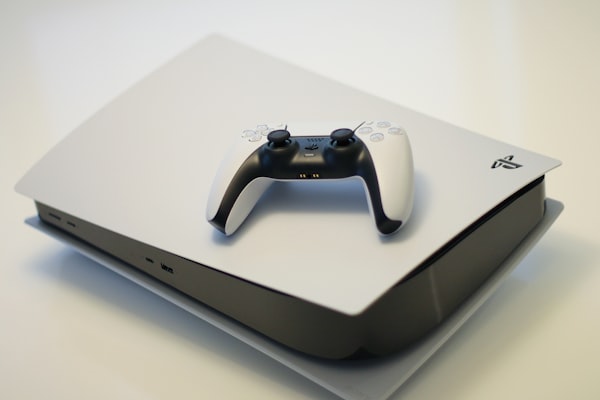
That is exactly why a PS5 pairs well with it. The console handles AAA games on a big screen, while the Mac handles creative work. Read our PS5 Slim deals guide and the PS5 Slim Digital Edition listing if you are building this combination.
PS5 Remote Play on a Mac
PlayStation’s Remote Play app runs on macOS, letting you stream your console to the laptop. You can pair a DualSense with the Mac by holding the PS and Create buttons and selecting it in Bluetooth settings. This is convenient for travel and for playing in another room. Performance depends on your network: a wired console connection and strong Wi-Fi on the Mac help considerably. See our PS5 setup guide to prepare the console.
MacBook Pro M4 vs Gaming Laptop
| Factor | MacBook Pro M4 | Windows gaming laptop |
|---|---|---|
| Game library | Smaller | Very large |
| Creative software | Excellent, especially video and audio | Strong, hardware varies |
| Fan noise | Usually quieter | Often louder under load |
| Battery under load | Strong | Limited |
| Upgradeability | Limited | Varies |
See specific models like the ROG Strix G16 or HP OMEN 16 if you want to compare.
MacBook Pro 14 vs 16: Which One?
The 14-inch model is easier to carry and costs less. The 16-inch model offers a larger screen and a higher-tier chip in our listing, which helps with heavy workloads. If you edit in cafes and on trains, the 14-inch is attractive. If your laptop mostly sits on a desk with an external monitor, the 16-inch’s screen is a luxury and the extra power may matter more. Think about how you work.
Building a Creator and Gamer Desk
Connect the MacBook to an external display for a bigger workspace, then use the same monitor for the PS5 through a second input. Our gaming monitor guide and monitors category help you choose. For audio, an AirPods Pro 2 or a gaming headset works well. See our complete home gaming setup guide.
Storage, Ports and Everyday Practicalities
Creators generate large files, so storage planning is crucial. Internal storage on a MacBook cannot be upgraded after purchase, which means you should buy the capacity you need, or plan to use external drives. Fast external SSDs make working with large projects practical, and our storage category lists options such as the Samsung T9 portable SSD. Check cable and port compatibility, and keep a backup of important work on a second drive or in the cloud.
The MacBook Pro includes useful ports such as HDMI and an SD card slot on current models, which are handy for photographers and for connecting displays. Confirm the exact port selection on the product page. A good hub or dock can add more connections for your desk setup, and a reliable charger is worth keeping in your bag. Treat your laptop as a business tool: protect it with a sturdy case and consider an extended warranty if you rely on it for income.
Software for creators
The Mac is well supported by professional video, audio and photo applications, and Apple’s own tools are optimised for Apple silicon. Many creators find that rendering and exporting times are short for the power consumed. If you use cross-platform tools, check that your plug-ins and workflows are supported on macOS before you buy.
Balancing Work and Play
One of the biggest advantages of owning both a Mac and a console is separation. When you finish editing, you shut the laptop and move to the PS5 on the TV, which creates a mental break that gaming on the same machine does not. It also keeps your work computer cooler, quieter and less cluttered with game launchers and updates. If your schedule is busy, that separation helps you protect your working time and enjoy your downtime fully.
Finally, remember shipping and buying terms. The store’s shipping policy states worldwide shipping, free standard shipping on orders over $250, and possible customs duties on international parcels. Laptops are valuable, so choose tracked delivery, inspect the box on arrival and read the return policy. For help with a listing, use the contact page.
Workflow Tips for Creators Who Game
A few habits keep a creative workflow smooth when you also play games. Keep your work and play accounts separate, so notifications and updates do not interrupt a deadline. Use external storage for large projects and archives, and a second external drive for backups. Schedule heavy exports for times when you are away from the machine, and use that time for a gaming session on the PS5. Close demanding apps before running Remote Play to keep the network and the Mac responsive. And keep the laptop plugged in during long exports, since power delivery can affect sustained performance.
Monitor and ports
Pair the MacBook with an external monitor for a bigger workspace. A 4K monitor with USB-C or Thunderbolt input can also provide charging and connect peripherals through one cable, which simplifies the desk. If the same monitor serves the PS5, make sure it has enough inputs and supports the console’s modes. Our 4K OLED monitor guide and monitors category help you shortlist options. Check the HDMI version for the console and the USB-C features for the Mac before buying.
Is the MacBook Pro M4 Worth It for Creators?
For most video, photo and audio work, a MacBook Pro M4 is a strong investment. It is quick, quiet and portable, with an excellent display. If your work depends on Windows-only software or on the biggest possible gaming library, a different machine may suit you better. If your work is Apple-friendly and you game on a console, the combination of a Mac and a PS5 covers nearly all bases. Compare the two models in our catalogue and check the product pages for configuration, condition and warranty.
Choosing Storage and Memory Wisely
With a MacBook Pro, memory and storage are fixed at purchase, so choose carefully. For video work, memory affects how smoothly timelines play and how many apps you can keep open. Storage affects how many projects you can hold locally. If your budget is limited, prioritise memory for heavy editing, and use external SSDs for archives. For photographers and music producers, requirements are usually lower, but a larger drive still prevents constant housekeeping. Read the product listing carefully for the exact configuration, condition and warranty, and compare it with your needs.
A common mistake is to buy a bigger display and a lower memory configuration because the screen looks impressive. For serious creative work, the opposite is often wiser. A smaller machine with more memory can outperform a larger one with less in real projects. Check reviews that test your specific software, and look for tests using footage or files similar to yours.
Accessories for a Creator Desk
A good desk setup includes a monitor arm, a compact keyboard, a precise mouse, a colour-accurate display and reliable backup storage. Add a quality microphone or headset for calls and voiceovers, and a stable stand to raise the laptop to eye level when docked. These small items improve comfort and productivity more than a faster processor ever will.
PS5 Remote Play on Mac: Quick Tips
For PS5 remote play on Mac, install the app, sign in, enable Remote Play on the console and pair a DualSense. Use a wired connection for the console if you can, and close heavy apps on the Mac. This keeps streaming smooth.
For official information, see Apple’s official website, and always verify details with the manufacturer before you buy.
In short: when it comes to macbook pro m4 for content creators, compare the total cost, read the store policies and confirm every detail before you pay. A careful approach to macbook pro m4 for content creators saves money and avoids unpleasant surprises.
Frequently Asked Questions
Can a MacBook Pro play PS5 games?
It can stream them with Remote Play if you own a PS5.
Is the MacBook Pro good for gaming?
For supported games, yes; the library is smaller than on Windows.
How much RAM do I need for video editing?
16 GB is workable for light to moderate editing; 24 GB or more suits heavier work.
Can I use a DualSense with a Mac?
Yes, via Bluetooth.
Which is better, 14 or 16 inch?
Choose by portability versus screen size and power.
Final Verdict
For content creators who also game, the MacBook Pro M4 plus a PS5 is a strong pairing. Compare the two models in the Apple products category, then add a console from the consoles section.